How to Sync Devices
You can easily sync all of your waypoints, notes, routes, recorded tracks, and subscriptions through your Topo Maps+ account on any device where the app is installed.
To start syncing your data, simply create a Topo Maps+ account. If you haven’t done so already, click here to find out how.
Kindly note: If you purchase a Topo Maps+ subscription through the App Store, you will need to log in or create a Topo Maps+ account in the app on that device and perform a sync. Then, to access your subscription and data on additional devices, just repeat the login and sync process on each device. Please note that Apple does not automatically sync purchases between devices.
Once you have an account:
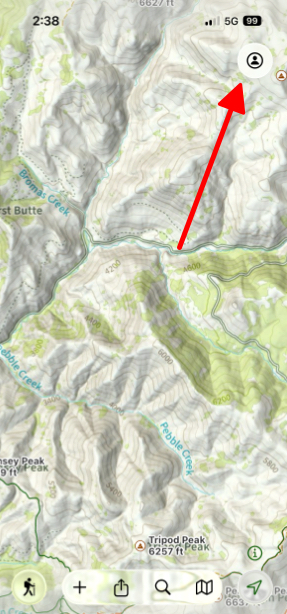
- Simply tap the Menu button in the top right corner.
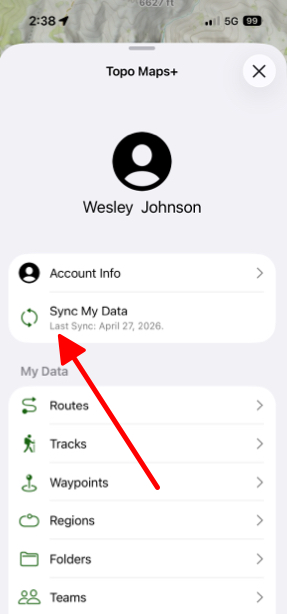
2. Tap the Sync My Data button to sync your data.
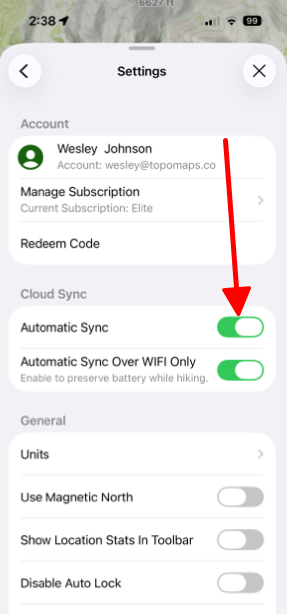
If you prefer Topo Maps+ to automatically sync your data, simply scroll down the menu page, tap on Settings and then toggle on Automatic Sync under Cloud Sync.