Map Dashboard
The map dashboard is where you change your basemap, manage overlays, and customize the map.
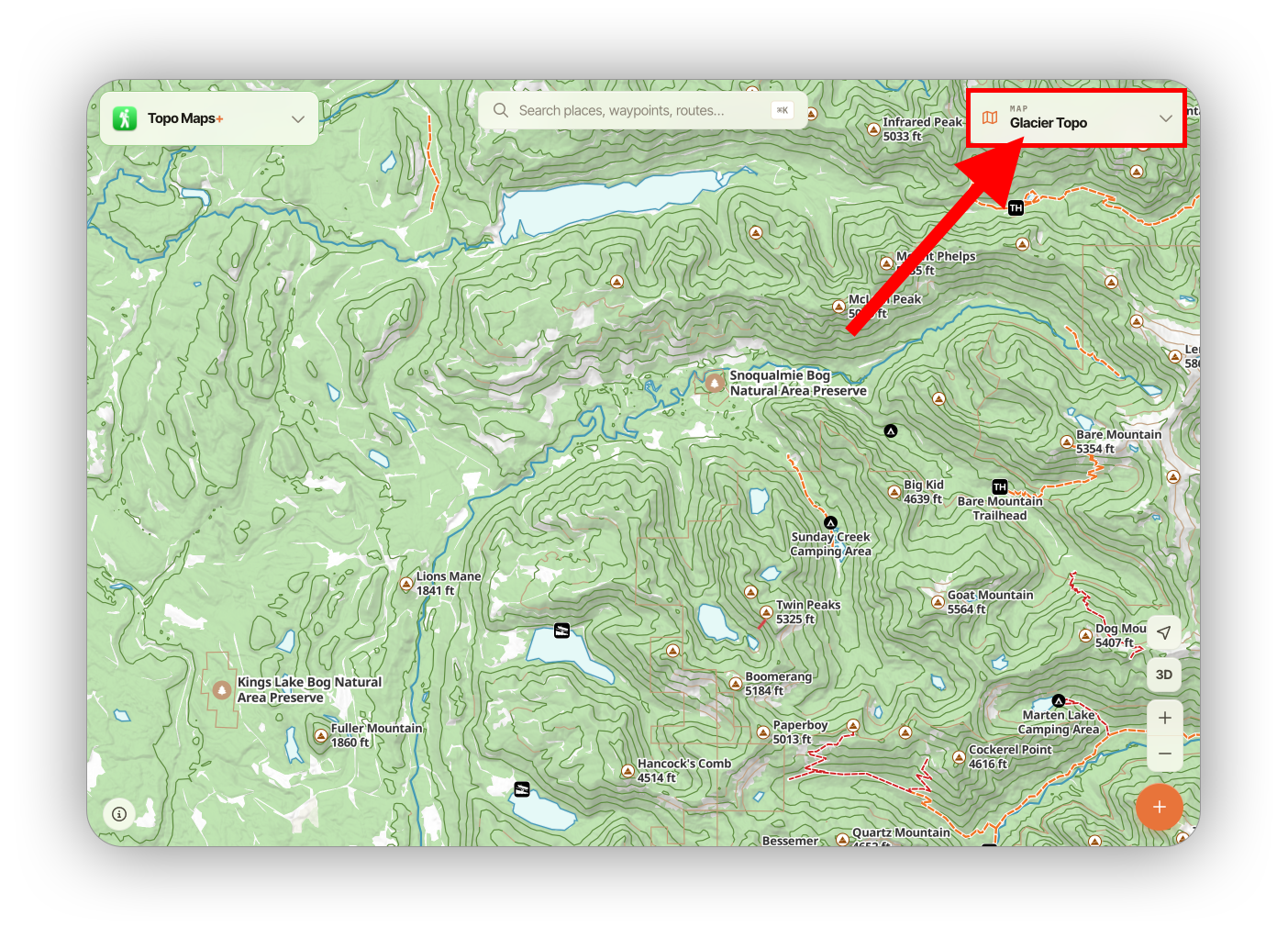
By default, the dashboard is minimized, showing you your current basemap. Click the card to expand.
The first section you will see is the basemap section:
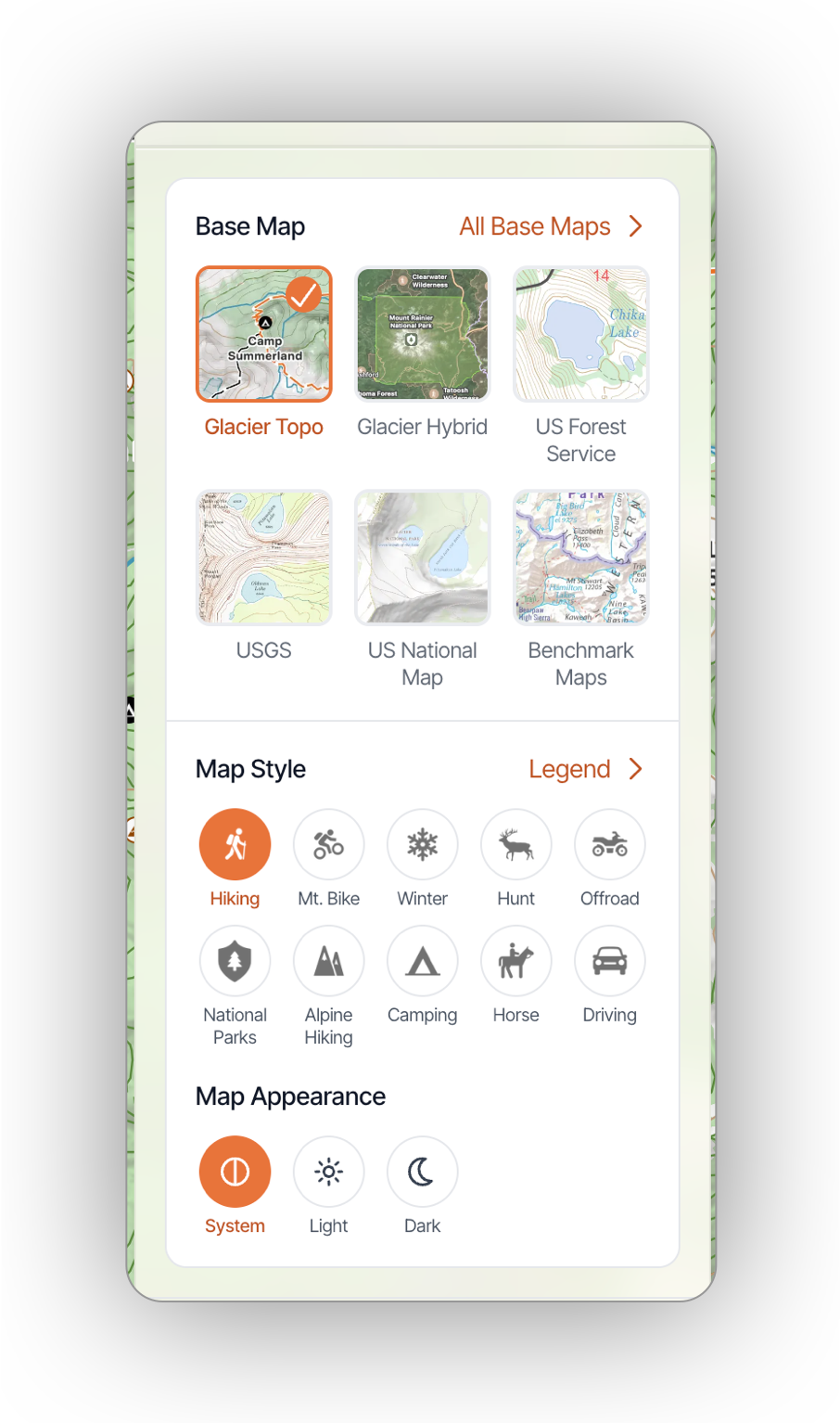
Click a basemap to switch, or click All Base Maps to add others to the dashboard.
In the Map Style section, you can switch what activity the map is styled for.
Map Appearance lets you switch between Light & Dark schemes (Glacier Topo only)
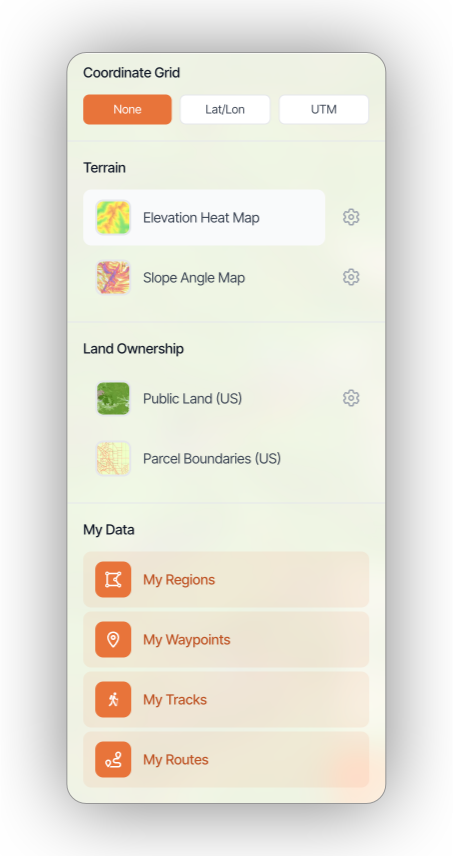
Below the basemaps, you'll find some overlay options: Grid, Terrain, Land Ownership (US Only) and My Data.
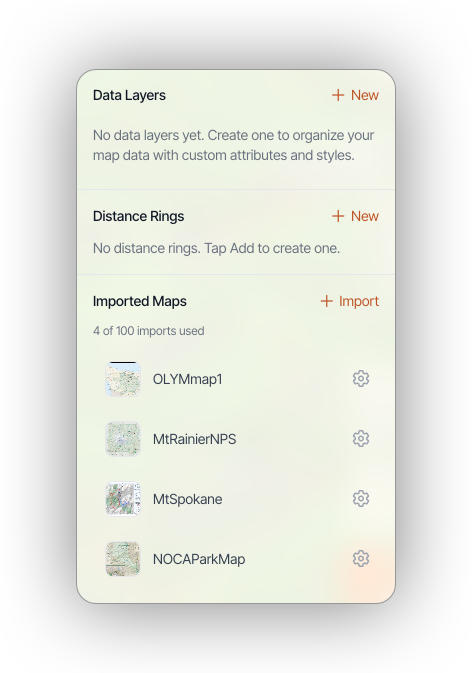
The last section contains Data Layers (Elite only), Distance Rings, and Imported Maps. These are overlays created by you.