Creating A Team on the Web App
Topo Maps+ Teams are a great way to share & collaborate on data in your organization, with your hiking friends, or even to organize your own personal data.
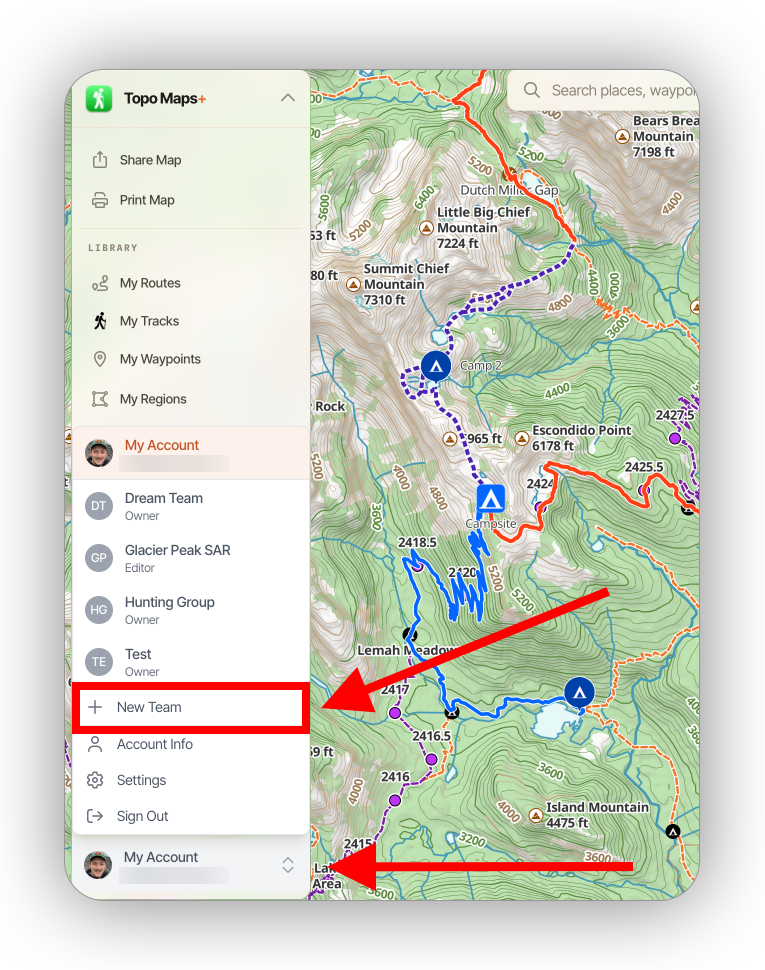
To create a team, click on your account and select New Team:
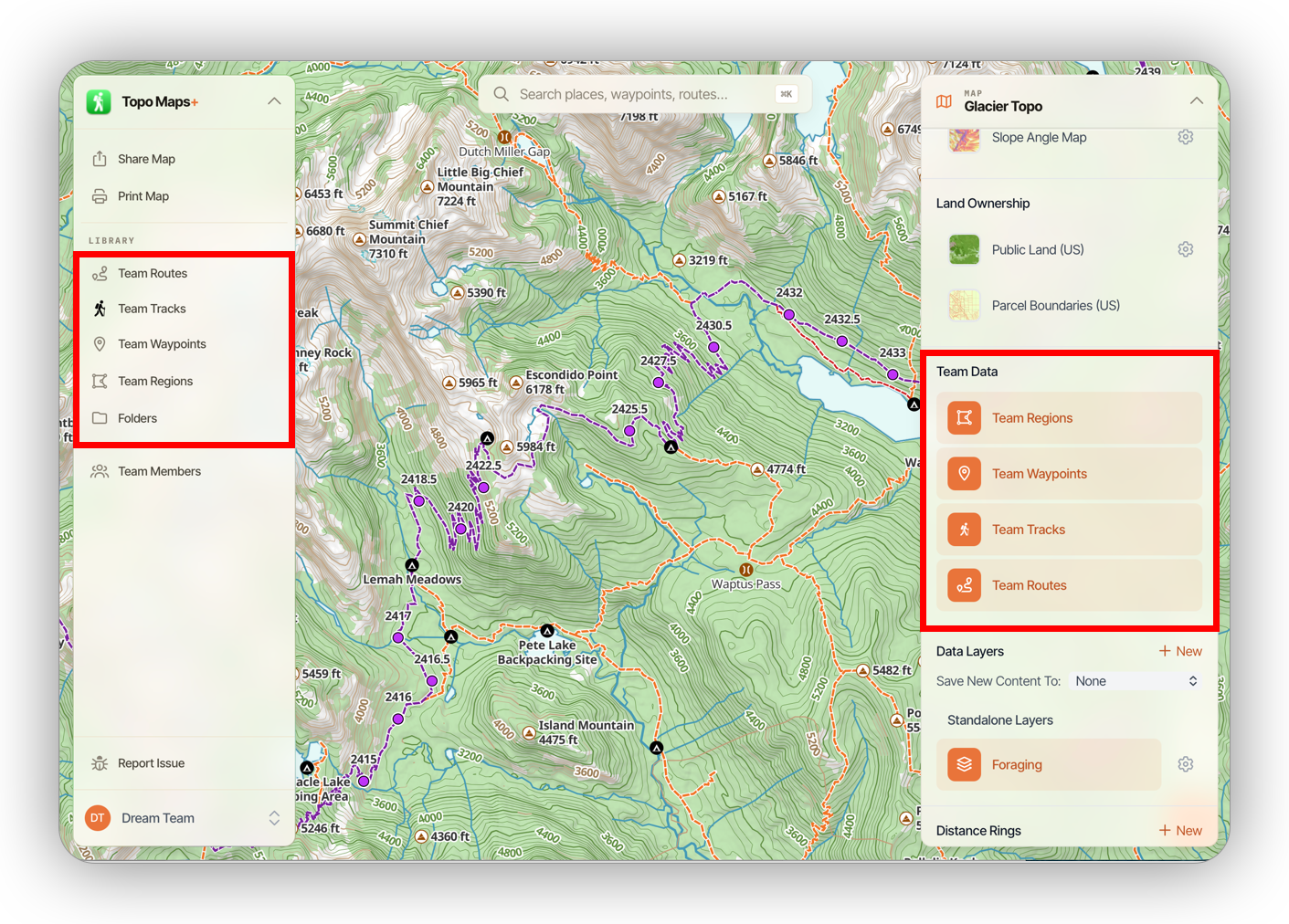
While viewing a team, you will only see data that belongs to that team. If you want to view your own data again, just switch back to My Account.
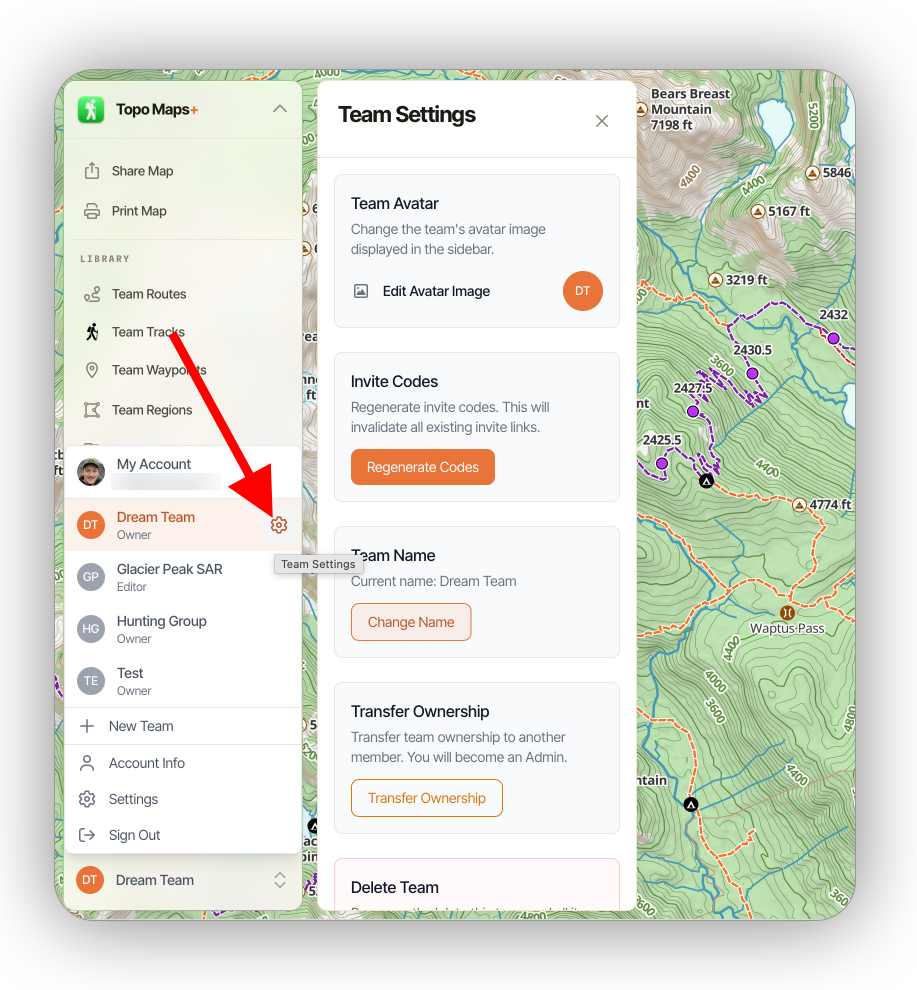
To view team settings, click the settings icon next to the active team: