
Creating a Route on the Web App
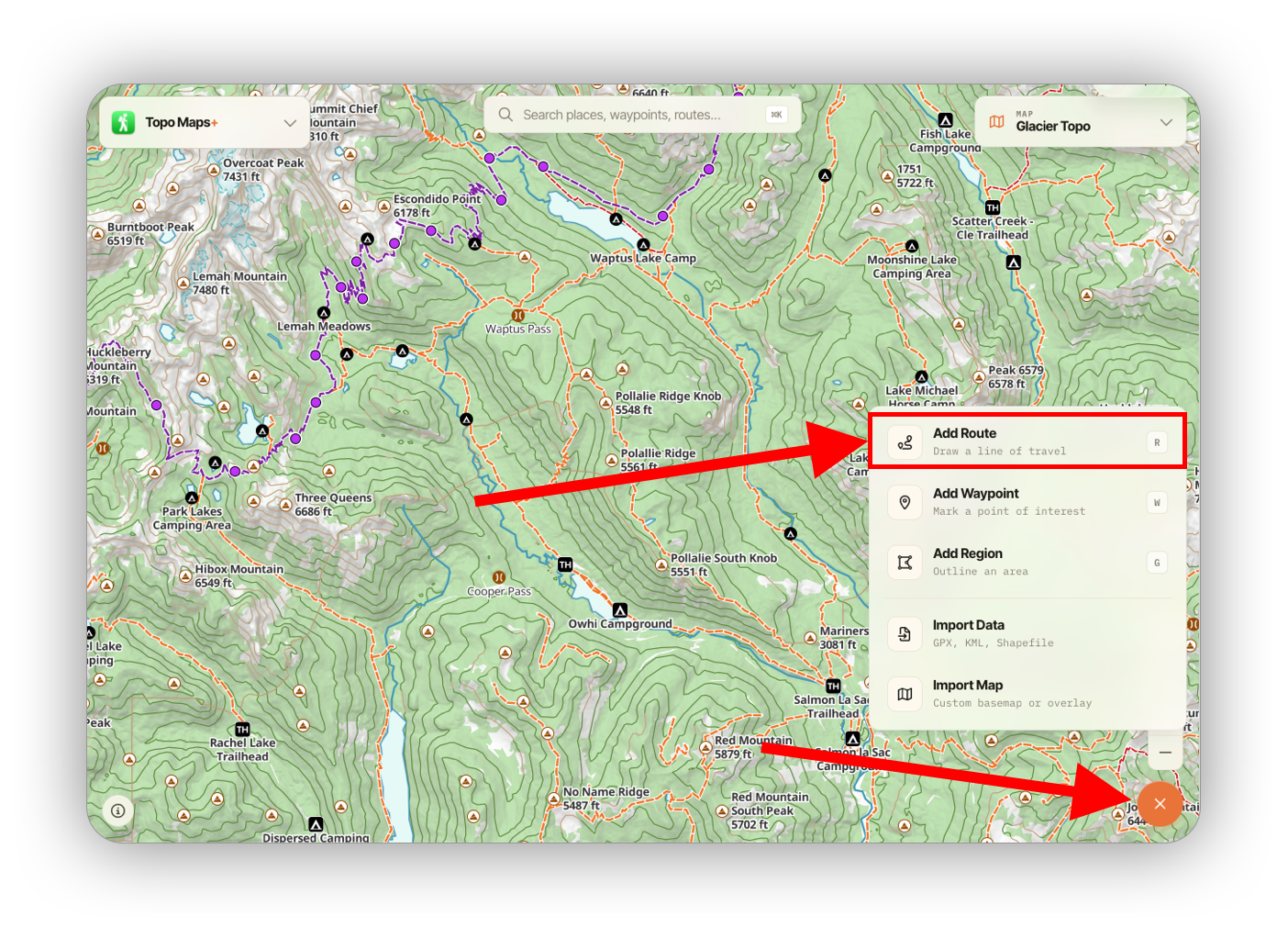
To build a custom route in Topo Maps+ for Web, first click the orange add button in the bottom right and select Add Route:
This pulls up the route builder:
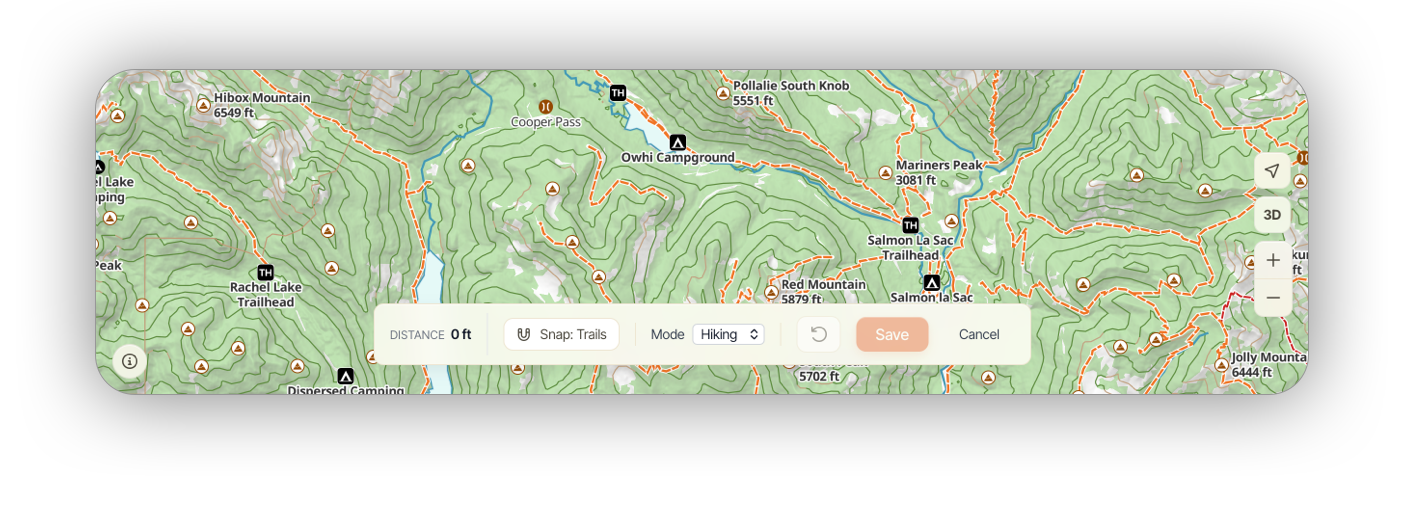
- Snap changes how the route fills in between points. By default, it uses the orange trails on the map. You can switch this to snap to your own routes & tracks, or turn off snap to get straight lines between points.
- Mode switches between Hiking and Driving, in case you're building a route on roads instead of trails.
To build the route, click on the map to add points, and snap to trail will fill in between.
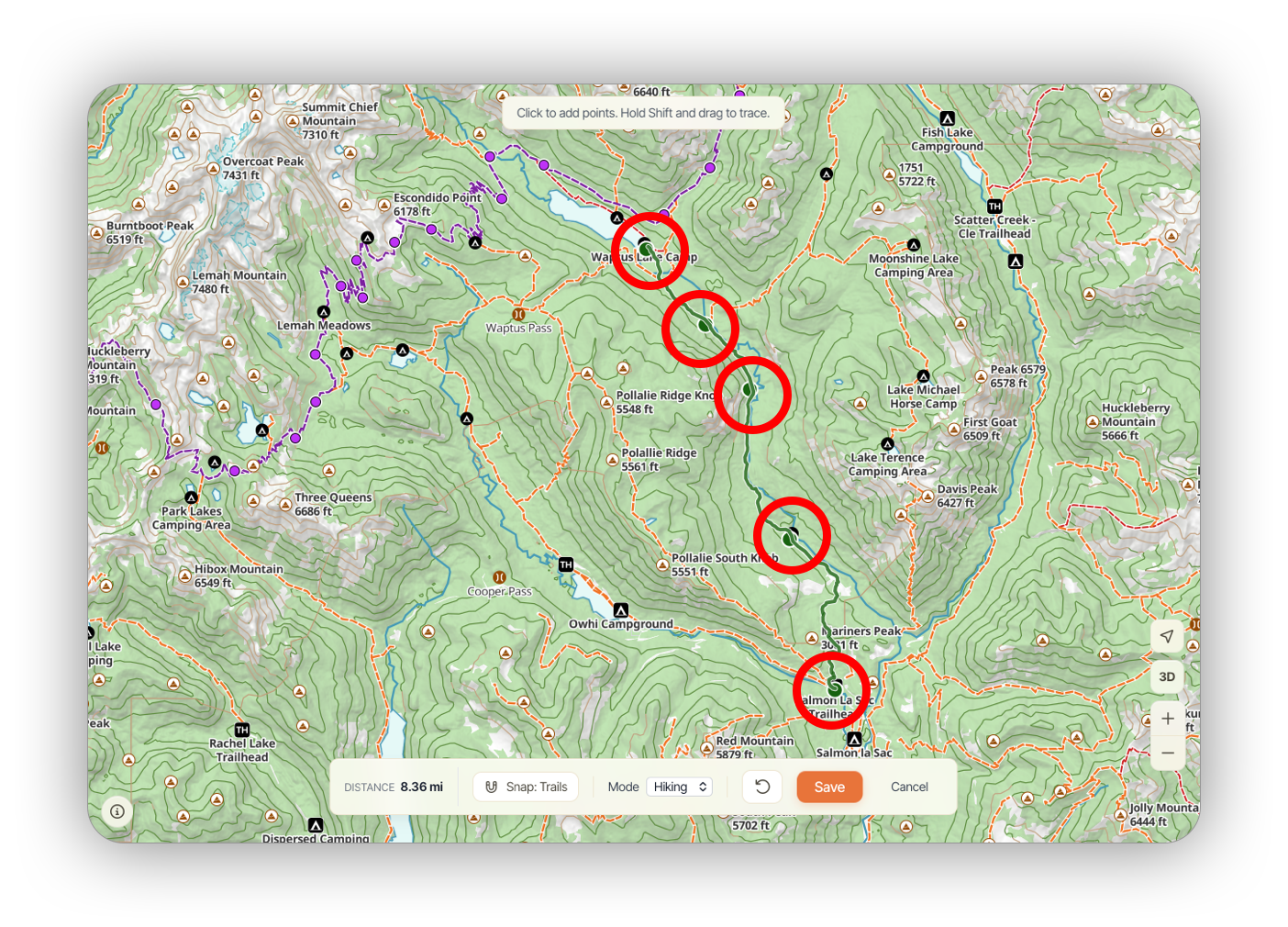
Note: If you need to draw a route or a portion of a route manually (e.g. an off-trail section), hold SHIFT + drag to draw.