
Sharing Data on the Web App
There are several ways to share data from Topo Maps+:
- Map Features
Many of the features on the map are clickable & shareable. For example, you can easily share a trail by clicking it on the map and then clicking the share button:

This will give you a URL to that feature, for example: https://maps.topomaps.co/trail/47.43412/-121.27820/47.47817/-121.18692/relation/4811392/spectacle-lake-trail?activity=hike.
This URL will open that map feature in the mobile app (if on a mobile device with the app installed) or fallback to opening the web app in a browser. This means that even if your friends don't have Topo Maps+, they'll still be able to see the trail.
You can do the same with points of interest (campsites, peaks, trailheads, etc.):

- Your Saved Data
If you click the share button on your own data (a route, waypoint, or region), opening the link will show a preview of the data and include the option of importing the data to the person's account:

- Sharing Visible Data
You can also share data that is visible on your screen — this is useful for sharing trip data all at once.
Click Share Map from the menu:
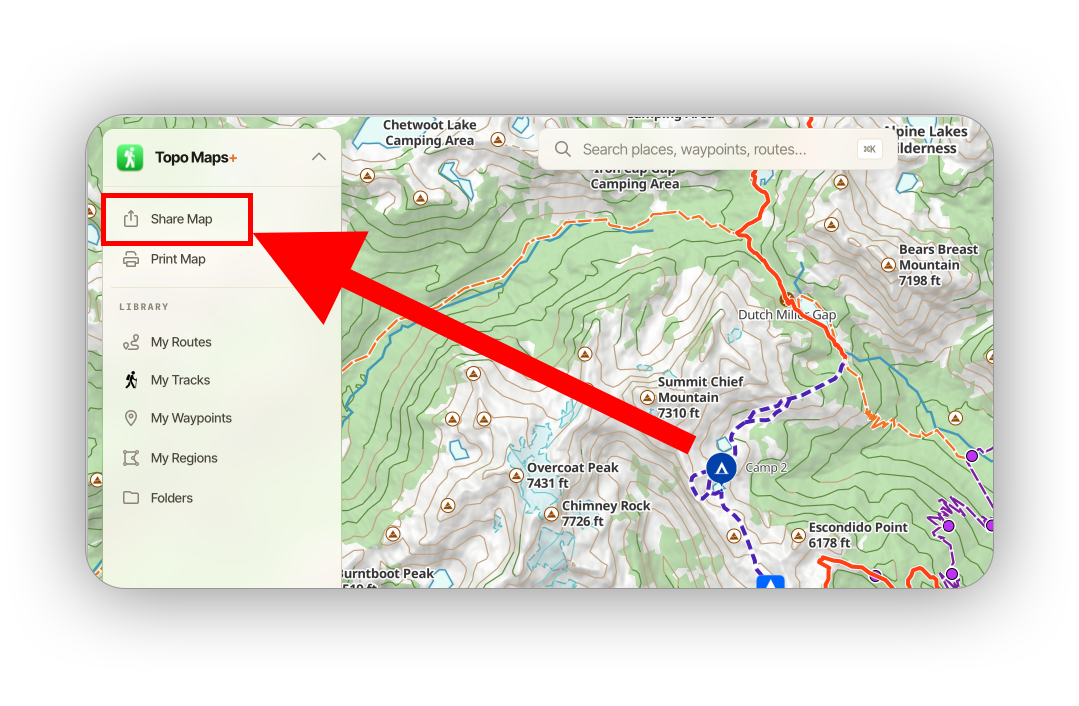
Then select the data from the map that you want to share:
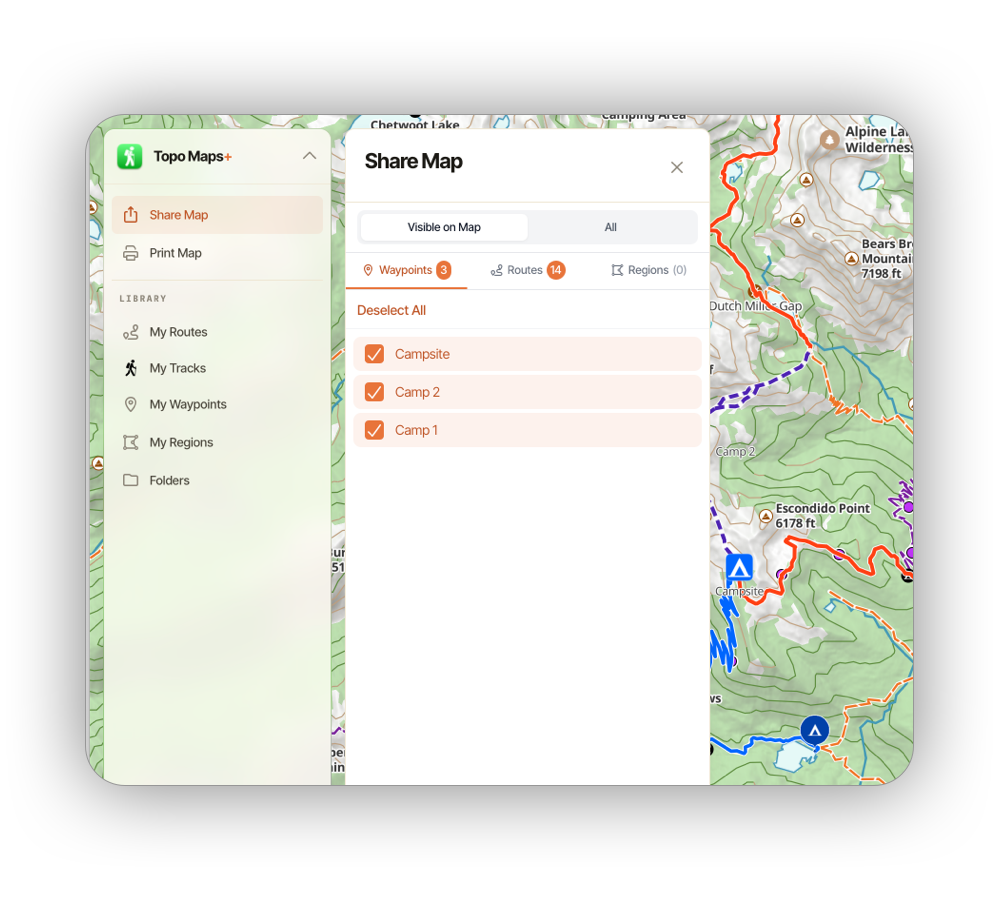
Finally, title the export and decide if you want to export the data as a file, or create a Topo Maps+ share link. The share link will behave just like the previous examples, letting non-Topo Maps+ users view the data on a map. The data file (GPX or KML) is great when you need to import to other apps.
