Exporting Data on the Web App
There are a few ways to export data files from Topo Map+ Web.
-
From the Menu
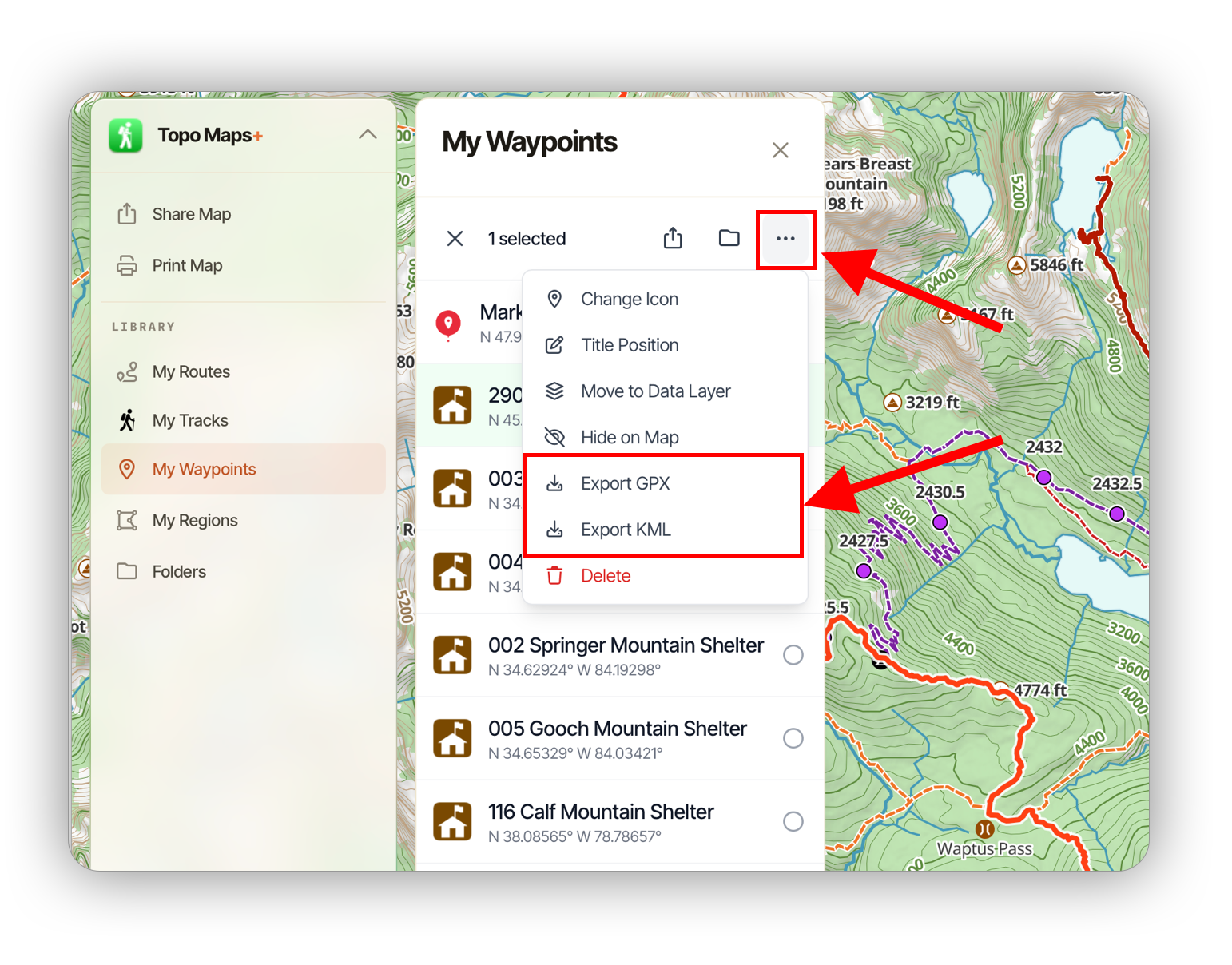
When viewing your saved data, you can select object(s) and export them by clicking the checkbox and then selecting More -> Export <format>:
-
From the Map (individual object)
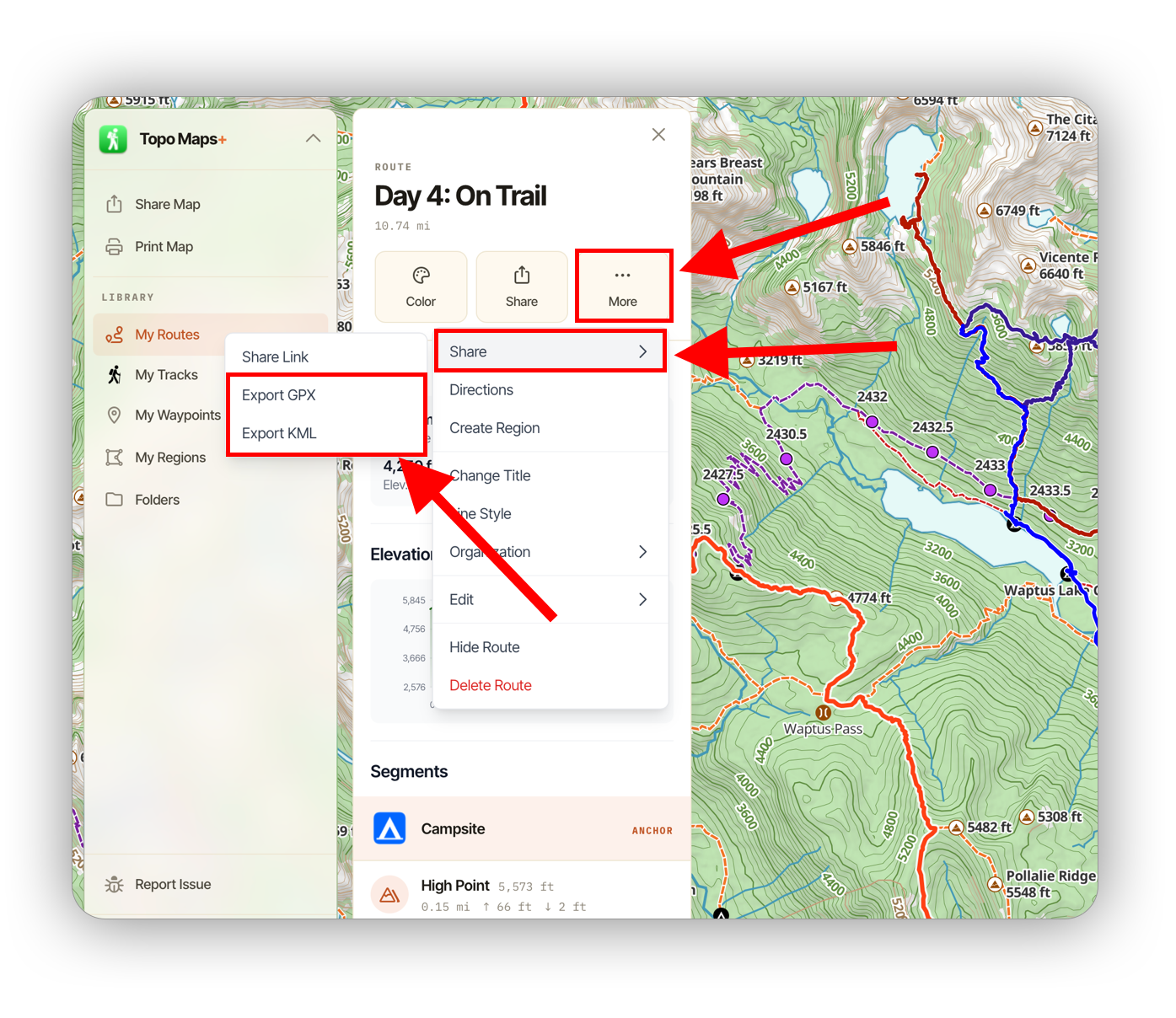
To export an object from the map, click on that object and then click More -> Share -> Export <format>.
-
From the Map (multiple objects)
You can also export multiple objects based on what is rendered on the map.
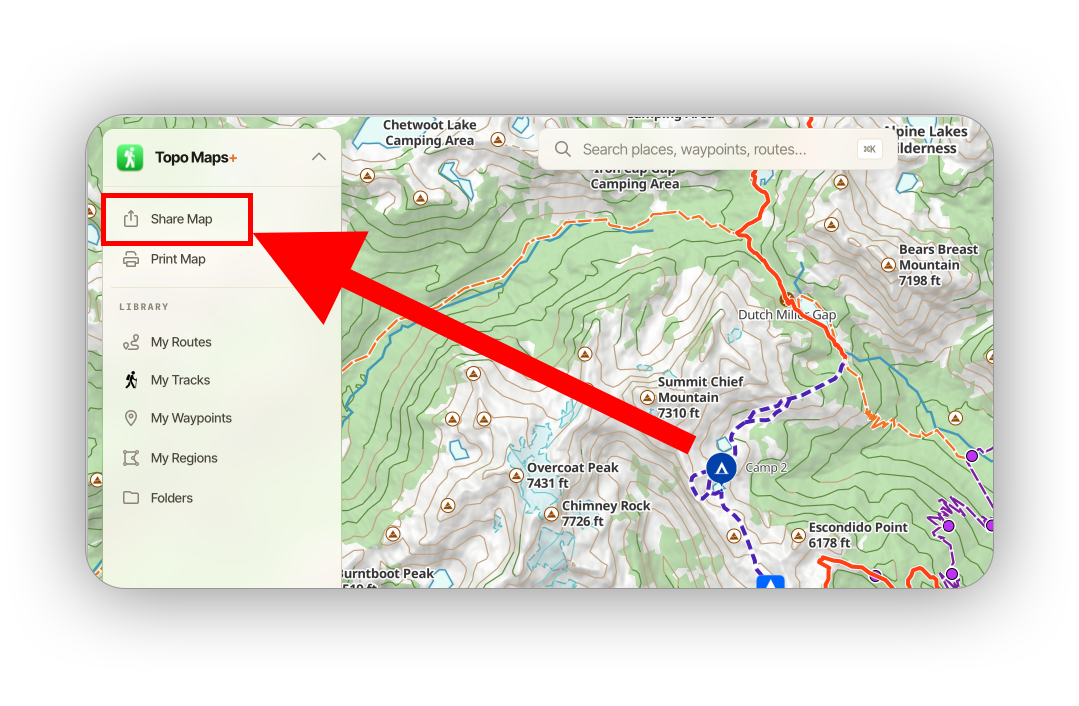
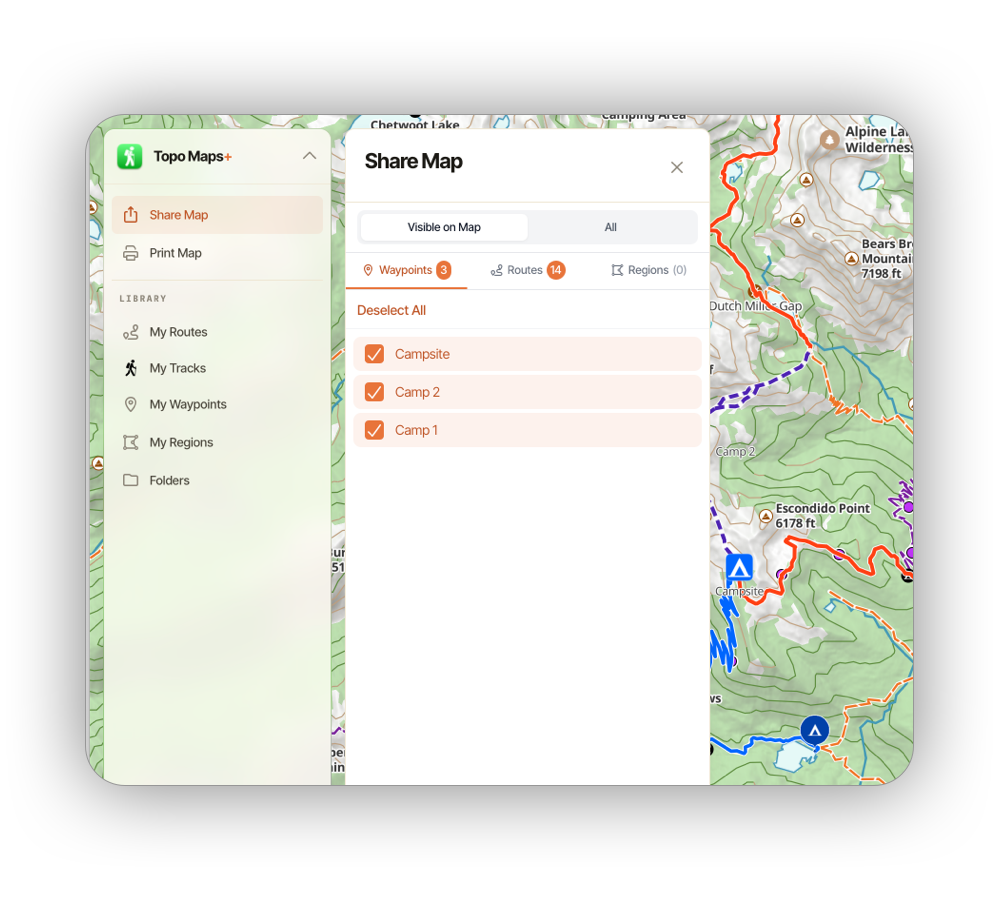
First, click Share Map from the menu:
Then, select the data you want to include from the map:
Then decide on a title for the export and click Export Data:
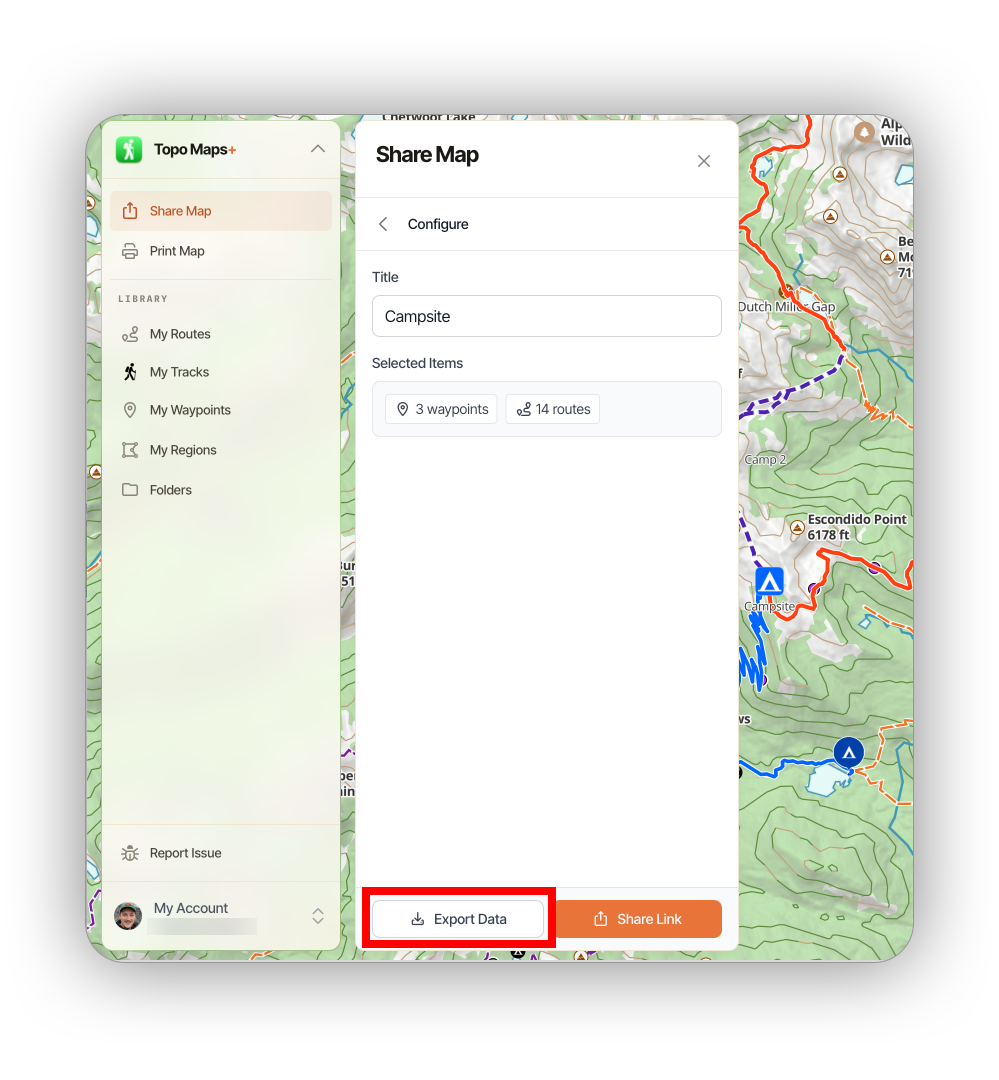
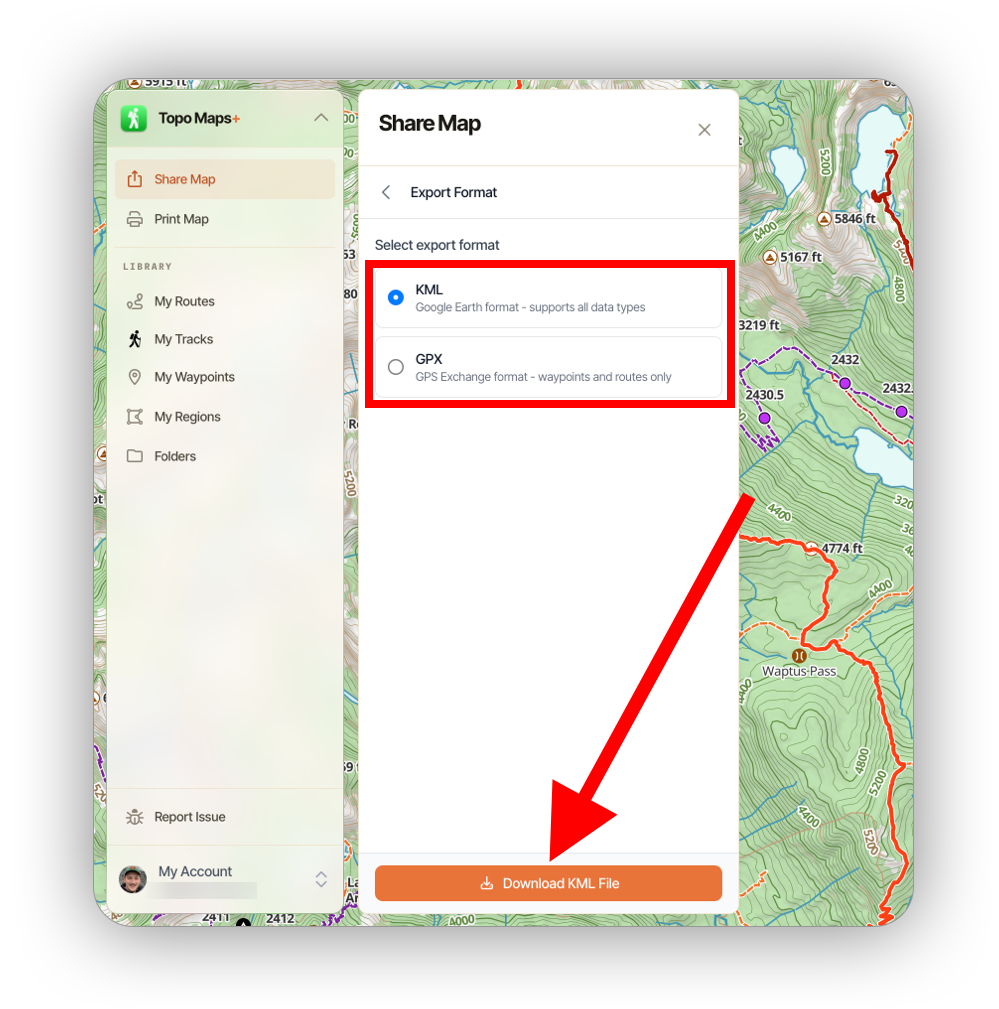
Lastly, select your desired file format and click Export.