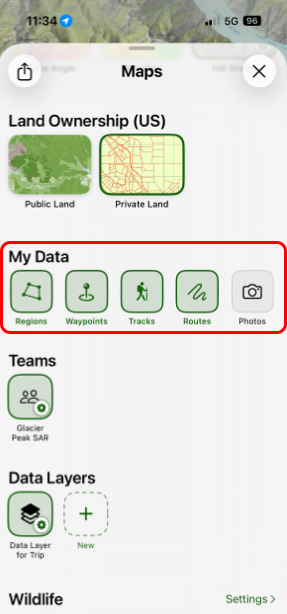
My Data Overlay
The data you create (Waypoints, Routes, Tracks, Regions) is considered an overlay, and can be toggled on and off. That way, if you want to only view Waypoints, for example, you can toggle off all of your other data and only see your Waypoints.
Or, if you wanted to view data from a Team you are a part of but it overlaps with your personal data, you can turn off the overlay for your personal data so you only see the Team data.
Here’s how to turn the overlay on and off:
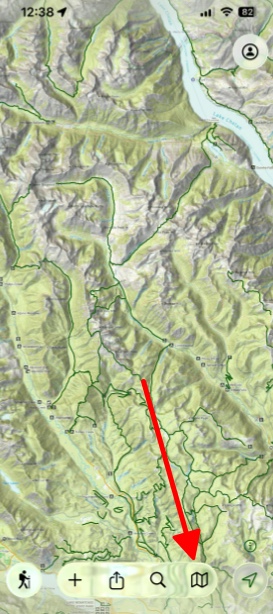
- Tap the folded map icon in the bottom right corner of the screen.
2. Below the My Data tab you can select either your routes, waypoints, tracks, routes, and/or photos.