
SNOTEL Overlay
Accessing the SNOTEL Overlay
- Tap the Maps icon in the bottom right corner of the screen.
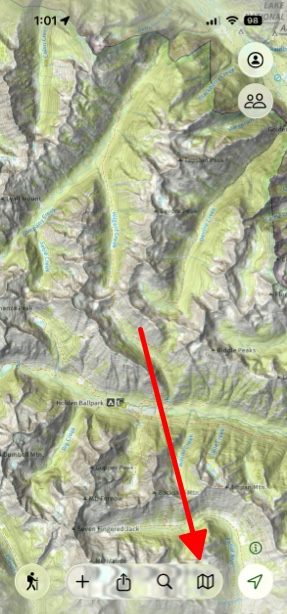
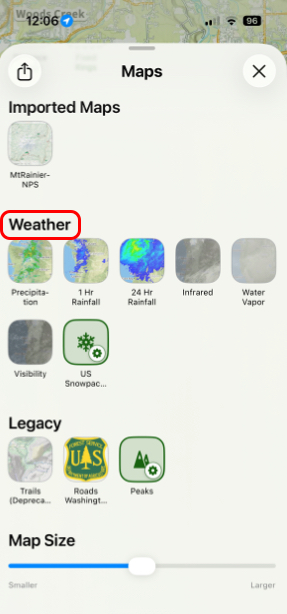
2. Scroll down to the Weather tab.
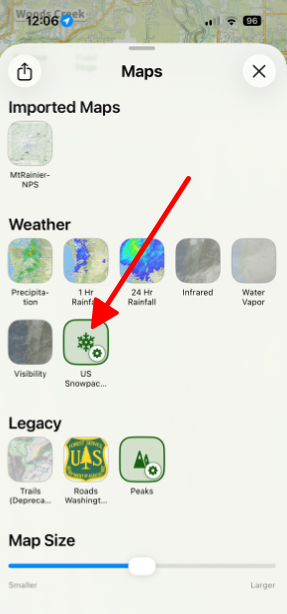
3. Tap on US Snowpack (SNOTEL) to toggle it on.
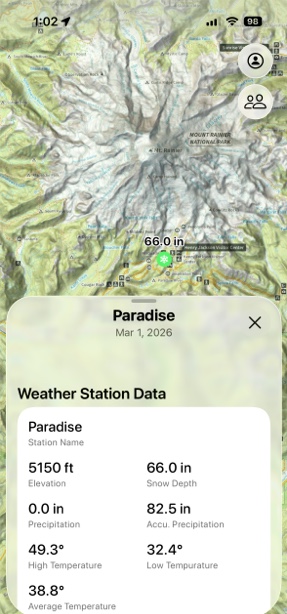
4. Going back to the map screen, you will see snow icons throughout the map showing how many inches of snow there is at that specific location.
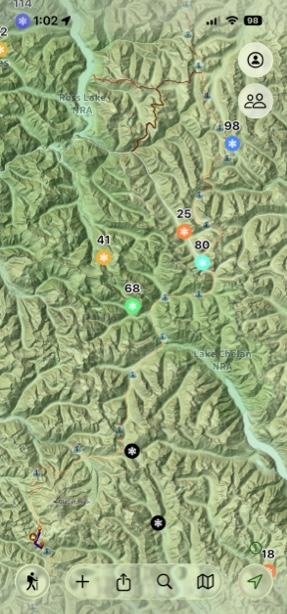
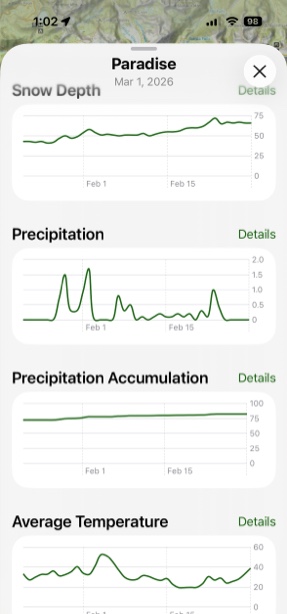
5. If you tap on the snow icon, it will pull up that icon’s information card and give you all the info you need about snow in that area.
Tips for Effective Use
- The SNOTEL network primarily covers mountainous regions in the western United States
- Data is collected by the Natural Resources Conservation Service (NRCS)
- Measurements are typically updated daily, providing near real-time snow conditions
- This overlay is particularly valuable for backcountry trip planning, avalanche assessment, and understanding seasonal snowpack development
Remember that cellular or data connection is required to retrieve the latest SnoTel information when using this feature in the field.