Hunting Overlays
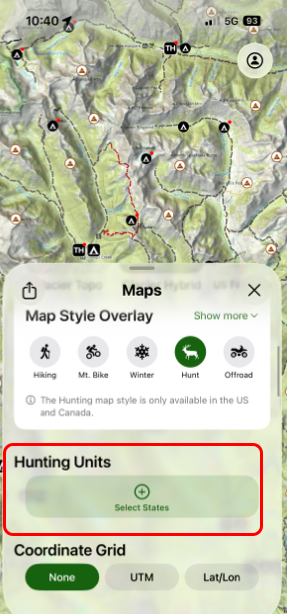
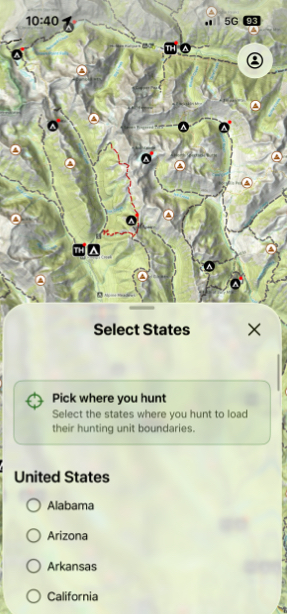
There are several preset maps that already include these overlays (these will be under the “Hunting” section if you selected hunting as one of your activities when setting up the app), but if you want to manually add these overlays for a customized map, here is how:
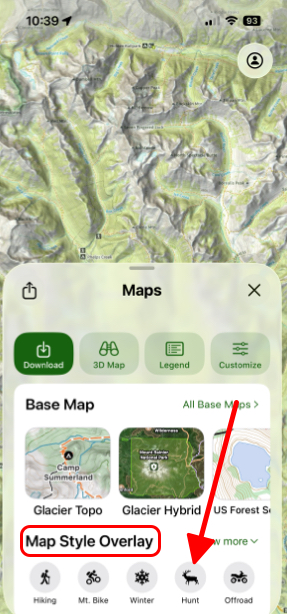
- Tap on the bottom right folded map icon.

2. Scroll down to Map Style Overlay and tap Hunt.
- The hunting overlays are organized by state and game type. Tap Select States under Hunting Units to download the map for the states you want to hunt in (or provinces if you're in Canada).