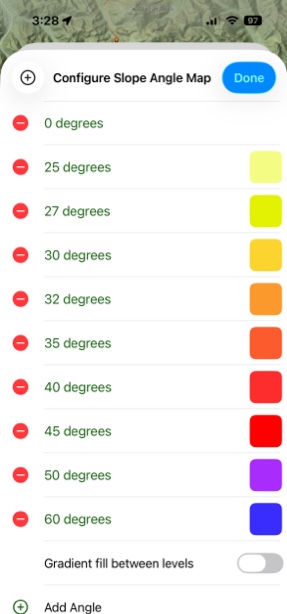
Slope Angle Map Overlay (USA)
Slope Angle Map Overlay allows you to set the color of the map based on the angle of the slope. This can be helpful, for example, if you are in an area prone to avalanches. It’s an easy way to see what areas to avoid.
Or, maybe you like going off-trail for your backcountry adventures. Slope Angle Map Overlay can help you pick a smoother line of travel and steer clear of those incredibly steep hillside climbs.
How To Enable:
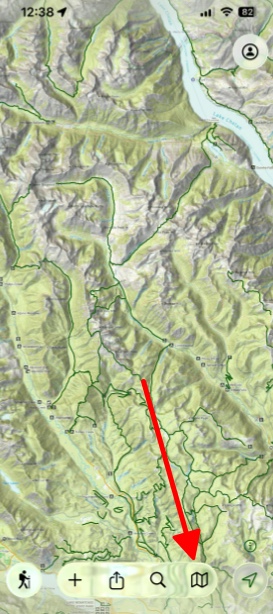
- Tap on the folded map icon in the bottom right corner.
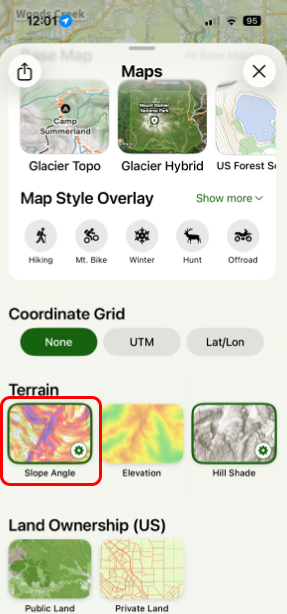
2. Scroll down and toggle on Slope Angle under Terrain.
3. If you want to customize the color scheme, then hold and tap on Slope Angle and tap on Settings.
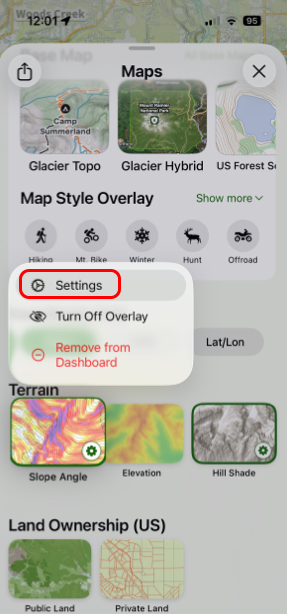
4. Next tap on Configure Colors.
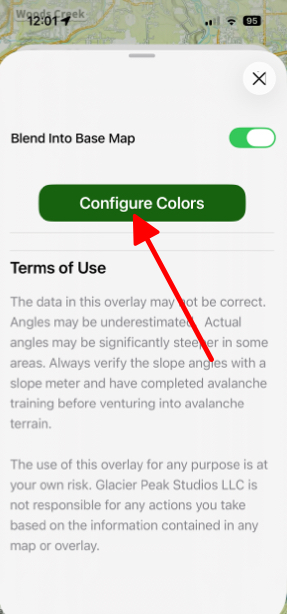
5. Here you can give specific colors to certain slope degrees.