
Sharing Trip Info
You can create a web link with map data right from within Topo Maps+, share it to your friends with or without Topo Maps+ and it’ll open the map data as an interactive web page.
Here’s How:
- First, tap on the Share button on the bottom of the screen.
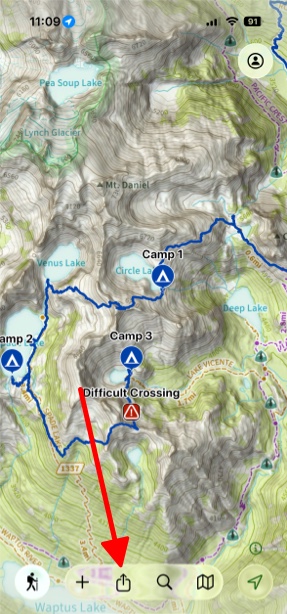
- Next, tap on Share Map.
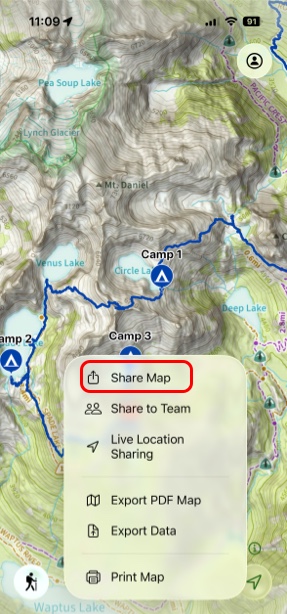
- Next, select the data you want to share. Tap Visible Map on Screen to change where you want to grab data for the share (the visible map on screen, all your data or data from a team) and then you can select exactly which pieces of data you want to include.
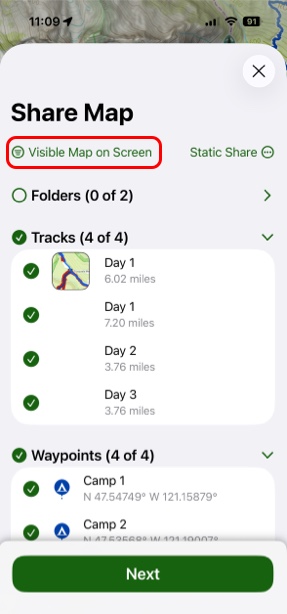
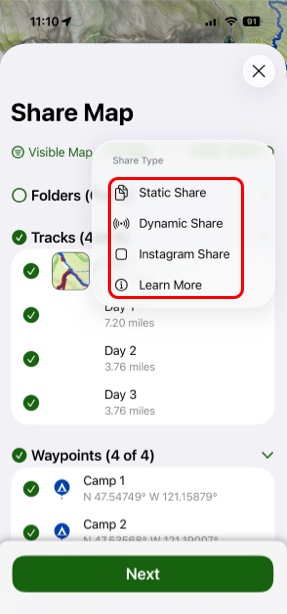
- Then, select the type of sharing link you want to create.
There are 3 types of sharing links you can create:
Static Share: A static share will share a copy of the data. This is ideal for sharing on social media, trail review sites, or times when you want the data in the link to never change.
Dynamic Share: A dynamic share will share the selected data from your account. This means that when you update that data, the link will automatically have that updated data. This works really well when sharing an up coming trip with friends. As you make changes to the trip, that sharing link will automatically have the updated data. (Pro Tip: Share a folder for the trip so that as you add or remove things in the folder, it will automatically be changed on the link.)
Instagram Share: An instagram share just creates an image from the selected data that is ideal for sharing on instagram.
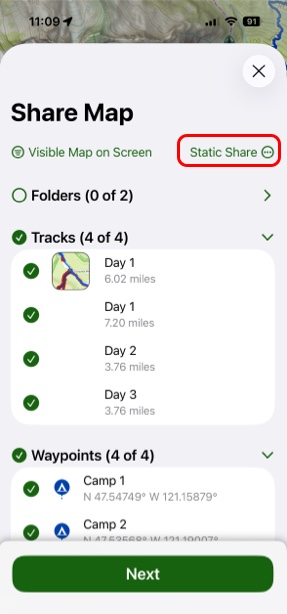
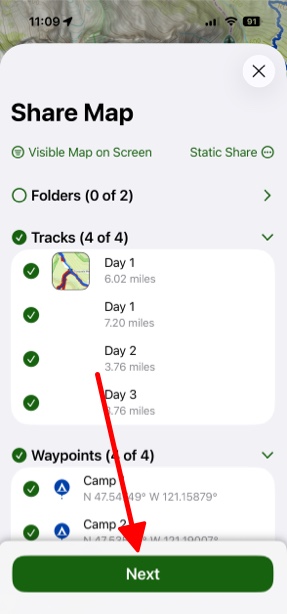
- Then, tap on Next.
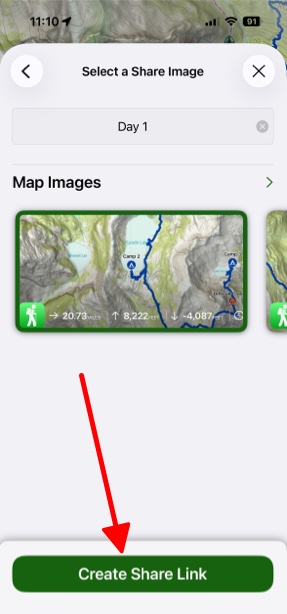
- Then, select an image for the share link and add a title. Topo Maps+ will generate map images for the link and it will look for any photos that you have taken on these trails. (iOS 15 only), and after that then tap Create Share Link.
To see an example of shared data, tap here.
To learn about more types of data sharing in Topo Maps+, click here.