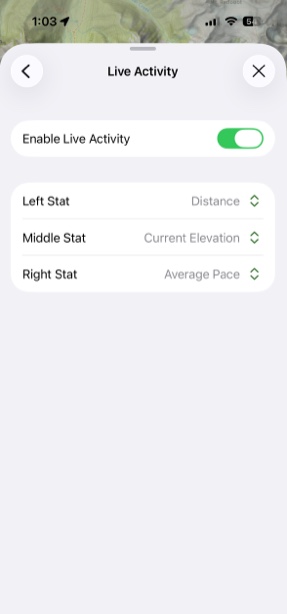
Live Activity for Recording
When recording a track, an Apple Live Activity will pop up on your Lock Screen with details about the recording.
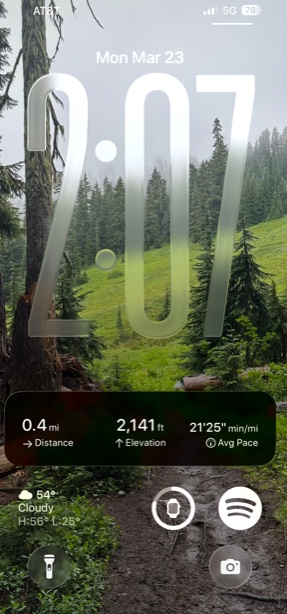
How to Customize Details:
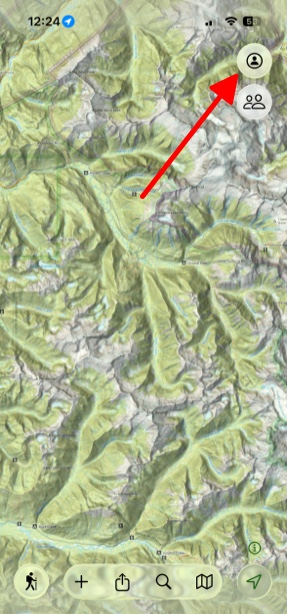
- First tap the Menu button in upper right corner.
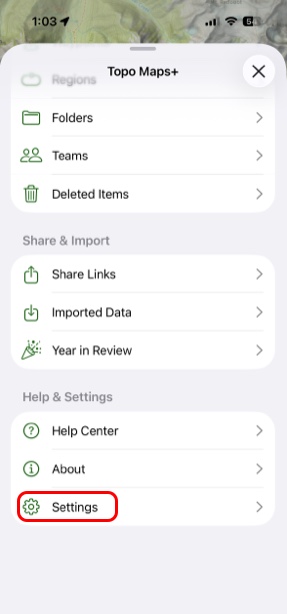
- Then scroll down to the bottom and tap Settings.
- Then scroll down and tap Live Activity under Recording Tracks.
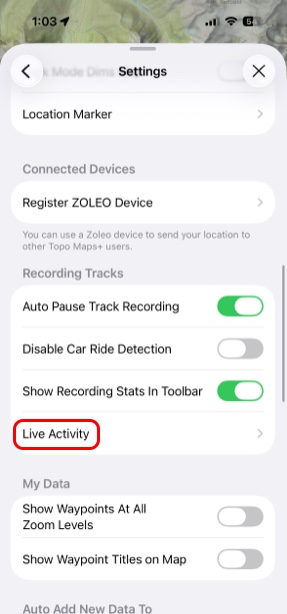
- There you can tap to Enable Live Activity and customize which information you want displayed where for when you are doing an activity.