
Compass Calibration
To make sure your compass readings in Topo Maps+ are as accurate as possible, follow these simple steps to check and calibrate your iPhone’s compass settings:
- Open the Settings app on your iPhone.
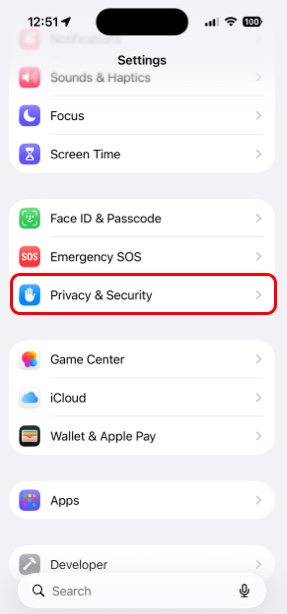
- Scroll down and tap Privacy & Security.
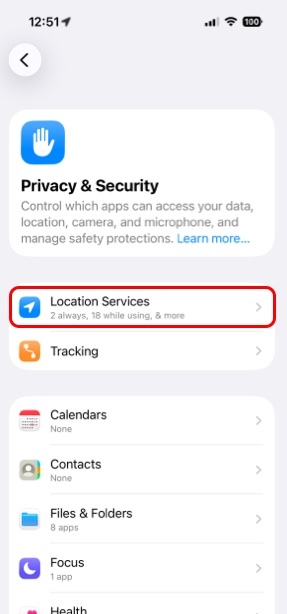
- Next tap Location Services.
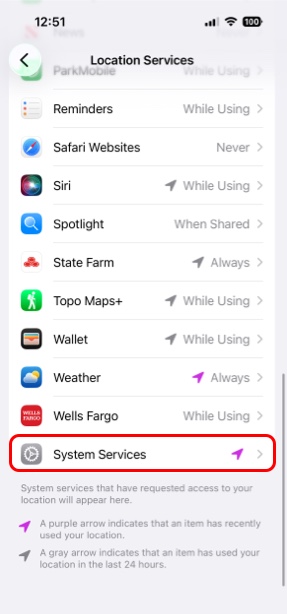
- Then scroll to the bottom and tap System Services.
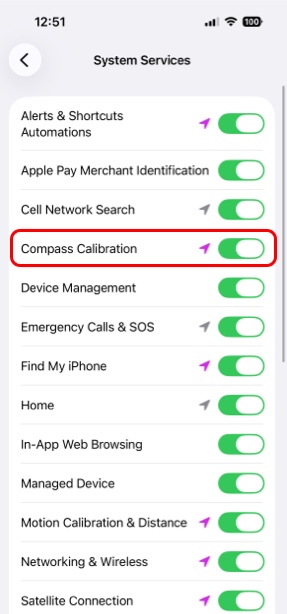
- Finally, toggle on Compass Calibration.
Open the Compass app on your iPhone. If your iPhone detects that it needs manual calibration it will prompt you to calibrate. 99% of the time your iPhone can automatically calibrate the compass from the GPS.
PRO TIP: Keep Location Services on while using Topo Maps+ for the most accurate compass and GPS readings.