
Keyboard Shortcuts for Mac
Topo Maps+ for the Mac has many keyboard shortcuts available to make using the app quicker and easier. Most of these are standard Apple shortcuts, but some are unique to Topo Maps+.
To see keyboard shortcuts, hover over the different options in the toolbar:
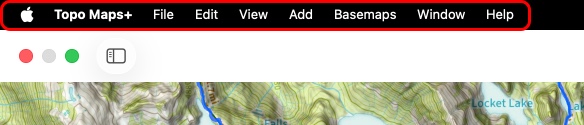
(Symbols used: ⌘ = Command key, ⇧ = Shift key)
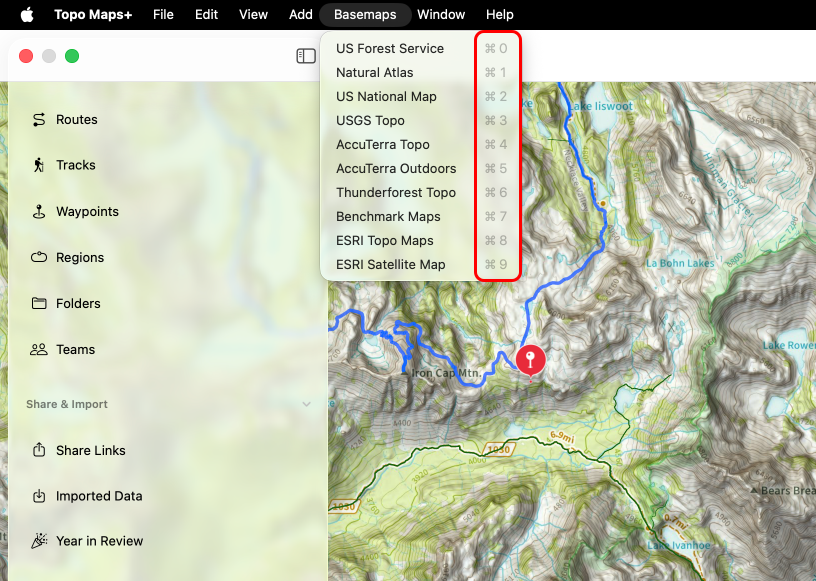
Perhaps the most helpful shortcuts are the basemap and overlay shortcuts.
Basemap Shortcuts: (These are what you have selected as “favorite maps” in the Advanced Map Dashboard slider. In that menu, tap “Edit” at the top to customize.)
⌘1, ⌘2, ⌘3, ⌘4, ⌘5, ⌘6, ⌘7, ⌘8, ⌘9, ⌘0 = Toggle between basemaps with each number.
Some Other Helpful Shortcuts:
⇧⌘ = Log out
⌘, = Settings
⌘I – Import
⌘E = Export
⌥⌘ = Share
⌘P = Print
⌘R = Add Route
⌘W = Add Waypoint
⌘G = Add Region
⌘+ = Zoom In
⌘- = Zoom Out