Intro to Android App
Welcome to Topo Maps+ for Android!
To get started, here is an overview of the buttons displayed on the main screen of the app:
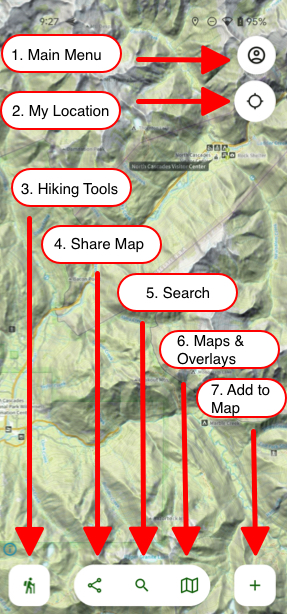
1. Main Menu
Access saved Routes, Tracks, Waypoints, Regions, Folders, Teams, Settings, and the Help Center.
2. Location Toggle
- Tap once → Center on your location
- Tap twice → Rotate map to compass
- Tap three times → Hide location dot
(Requires location permission: Settings > Topo Maps+)
3. Add to Map
Create Waypoints, Routes, Regions, or import maps.
4. Share, Export & Print
Send, export, or print your data.
5. Search
Find trails, parks, mountains, or your own data.
6. Map Tools & Overlays
Switch between Preset and Advanced dashboards.
7. Add to Map
Create Waypoints, Routes, Regions, or import maps.
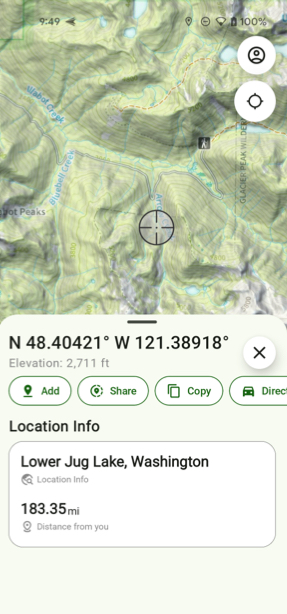
8. Long Press Anywhere
Quick menu: add waypoint, share location, Line of Sight, Guide Me, coordinates & elevation.