Why is my recording a straight line??
Android phones are notorious for shutting off background processes, especially certain manufacturers. These manufacturers put heavy restrictions on background usage to limit battery drain, but when you really want an app to keep working in the background uninterrupted, you have to mark it explicitly for this.
Recording a track in Topo Maps+ is no exception. Location services can be shut off in the background in the middle of your recording without you knowing, leaving you with a straight line from point A to B.
Follow the steps below to prevent this.
Note: Using battery saver modes on many Android devices still override this setting and can cause track recording to shut off in the background. We recommend turning off any battery saver modes if you need to record your tracks.
Here's how to fix it:
-
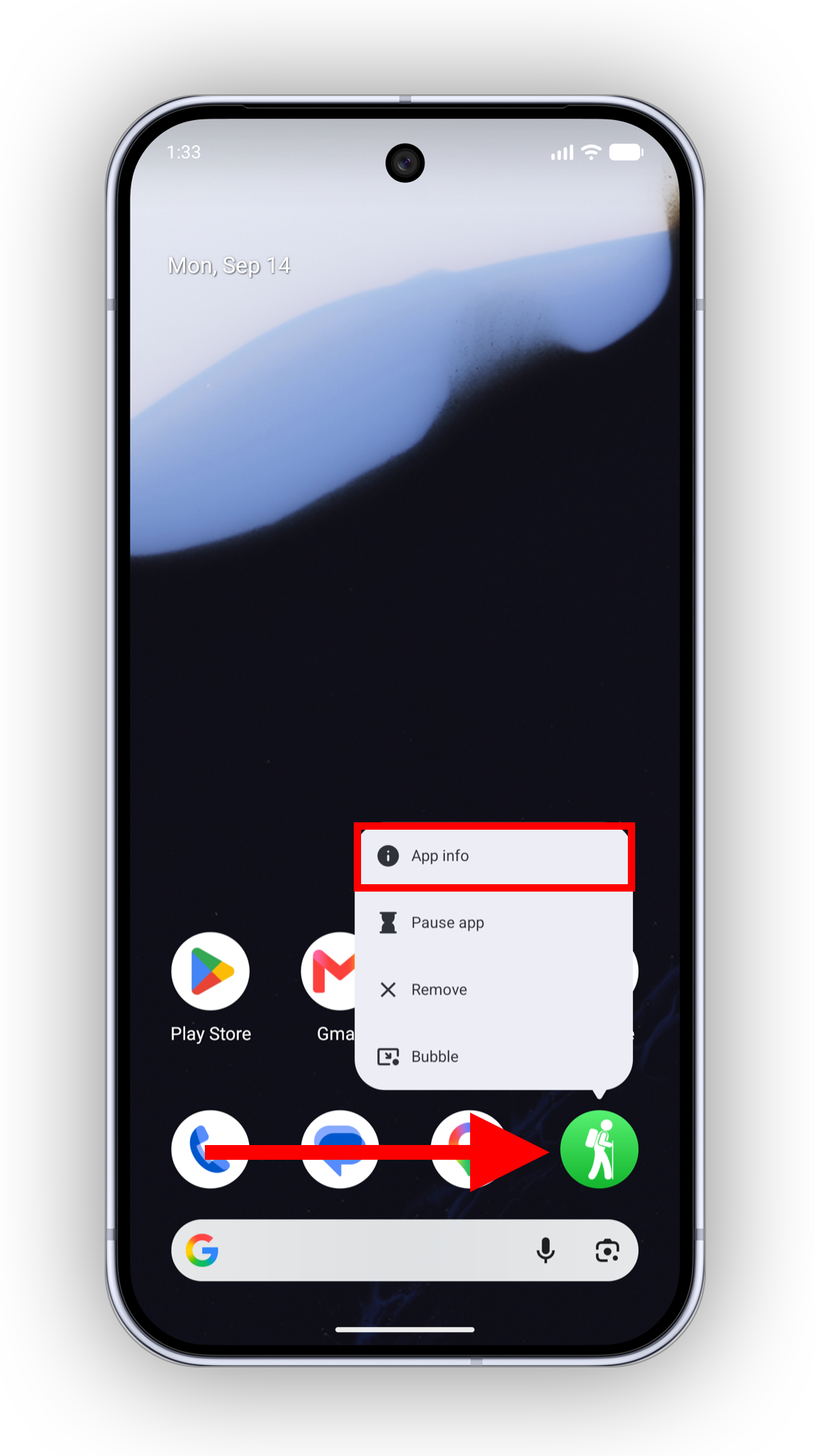
Tap & hold on Topo Maps+ from your Home Screen, then tap App info
-
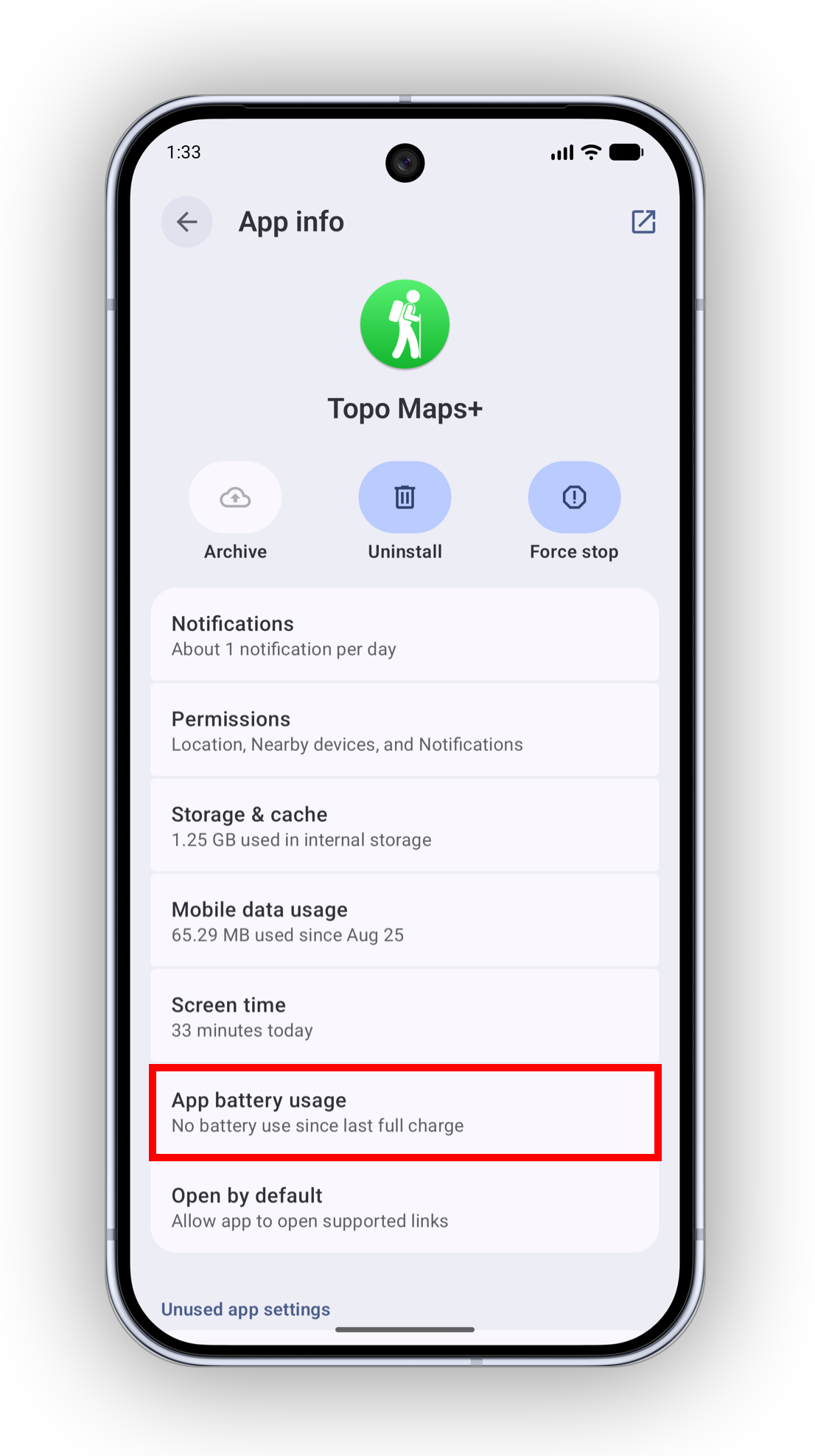
Select App Battery Usage (or just Battery, depending on the phone)
-
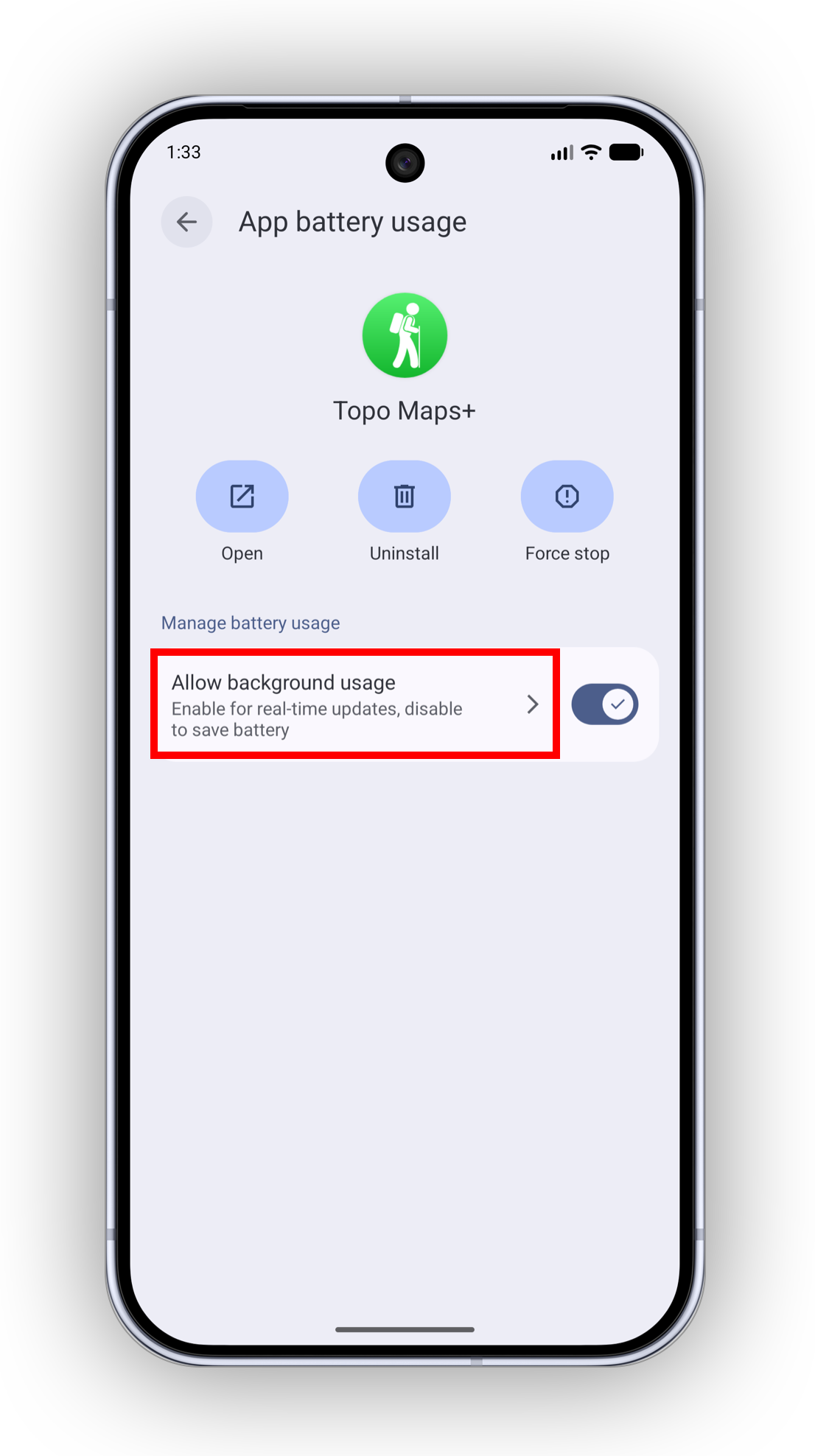
On some phones, you will see this screen next, from which you tap Allow background usage
-
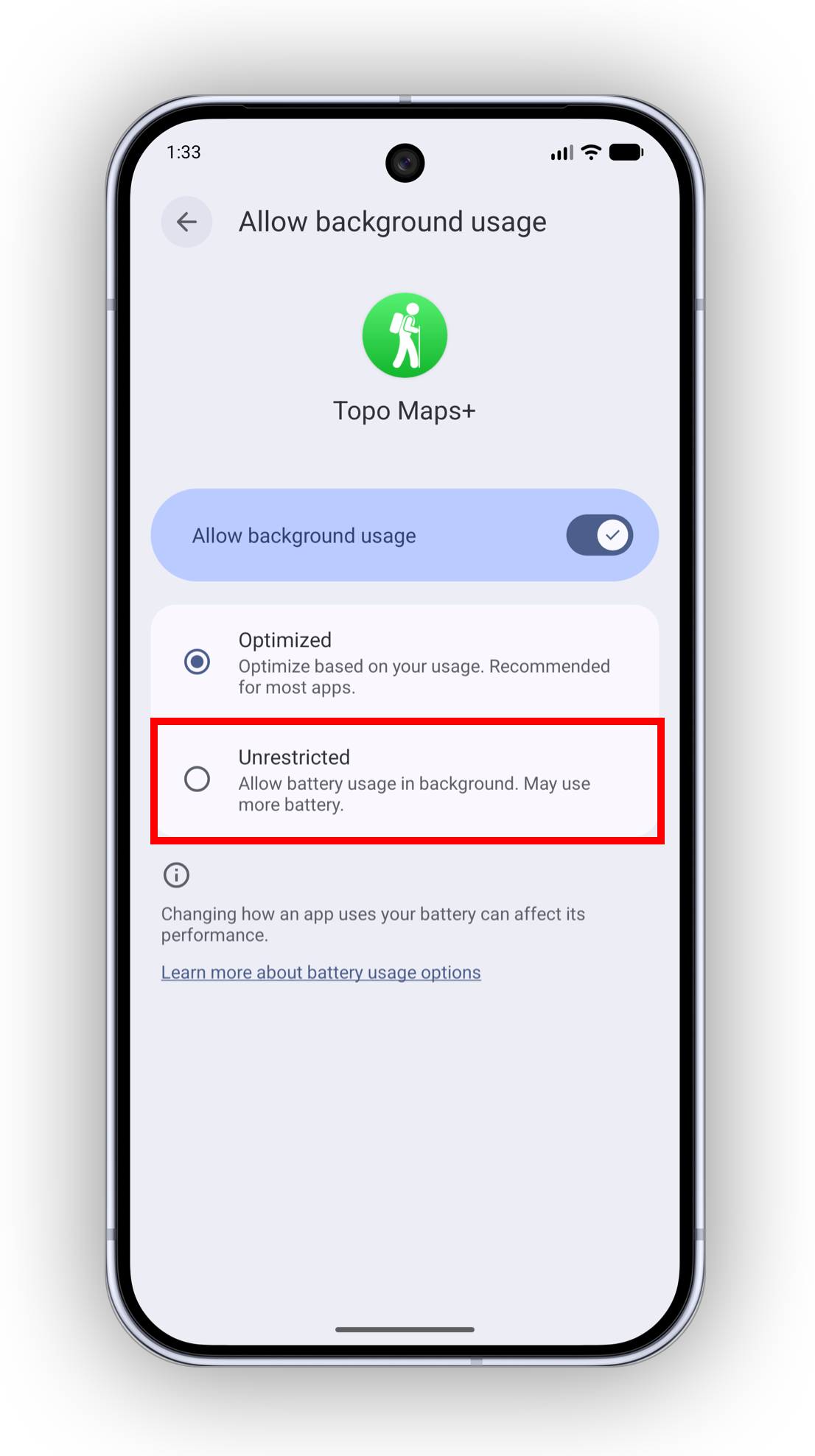
Then select Unrestricted. This gives Topo Maps+ unlimited battery usage while it is minimized.