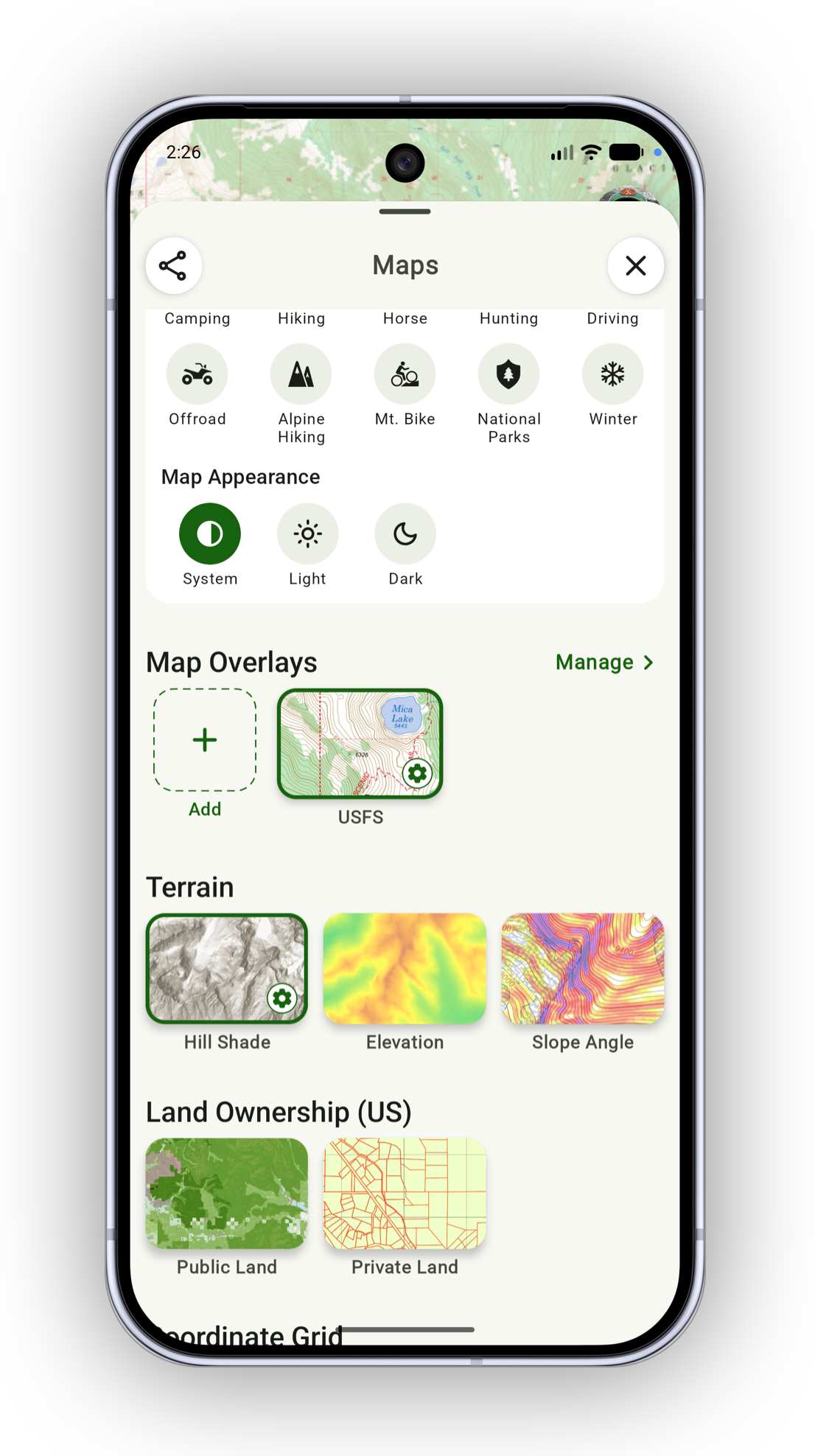
Adding Map Overlays
Topo Maps+ includes a variety of maps — some cover the globe, others only a specific country or area (e.g. the US Forest Service map). These "partial coverage" maps are best used as an overlay, so that you have a base map underneath where the coverage runs out.
Here's how to add maps as overlays:
-
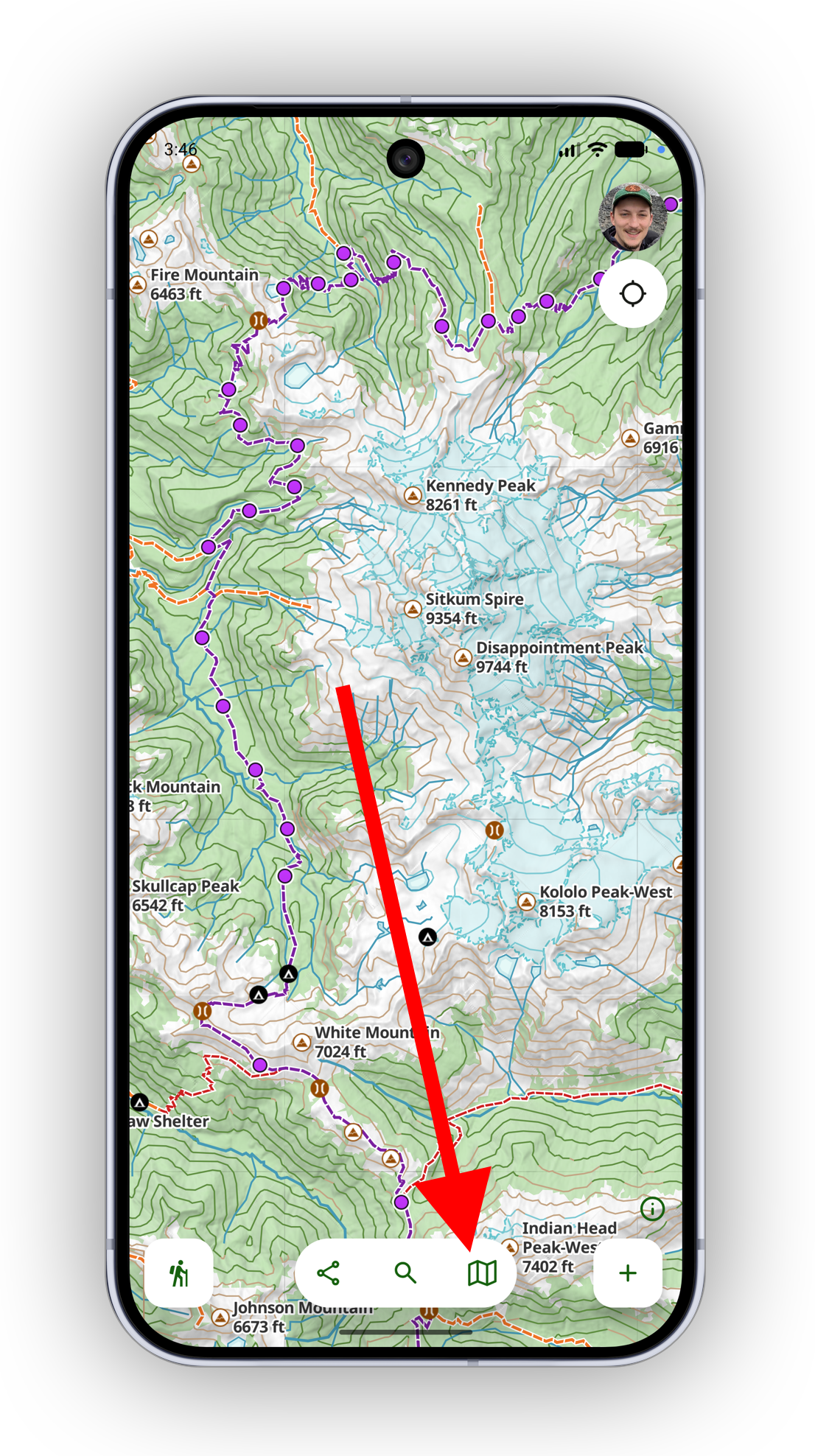
Tap the maps button in the toolbar
-
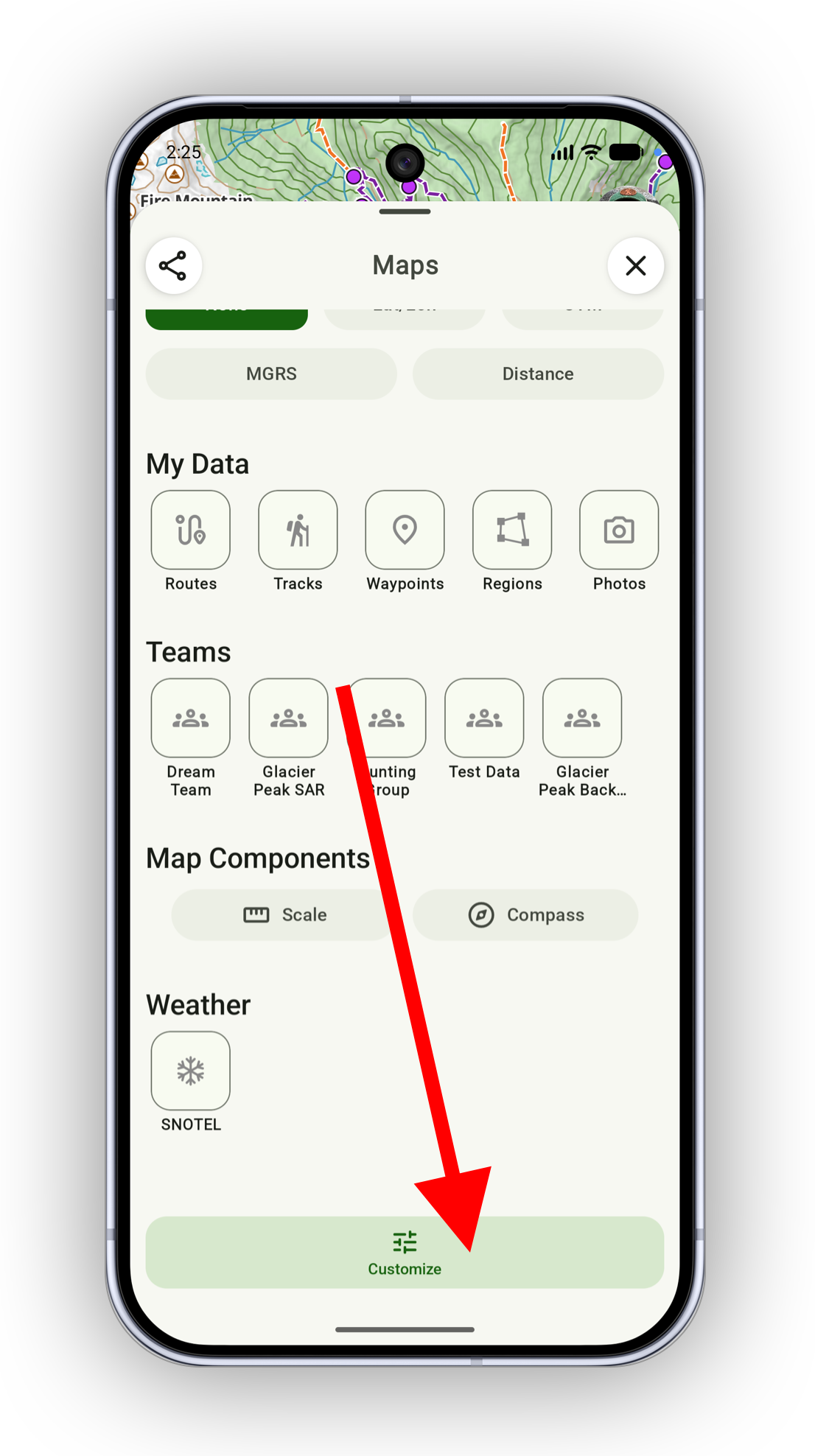
Scroll to the bottom of the map screen and tap Customize
-
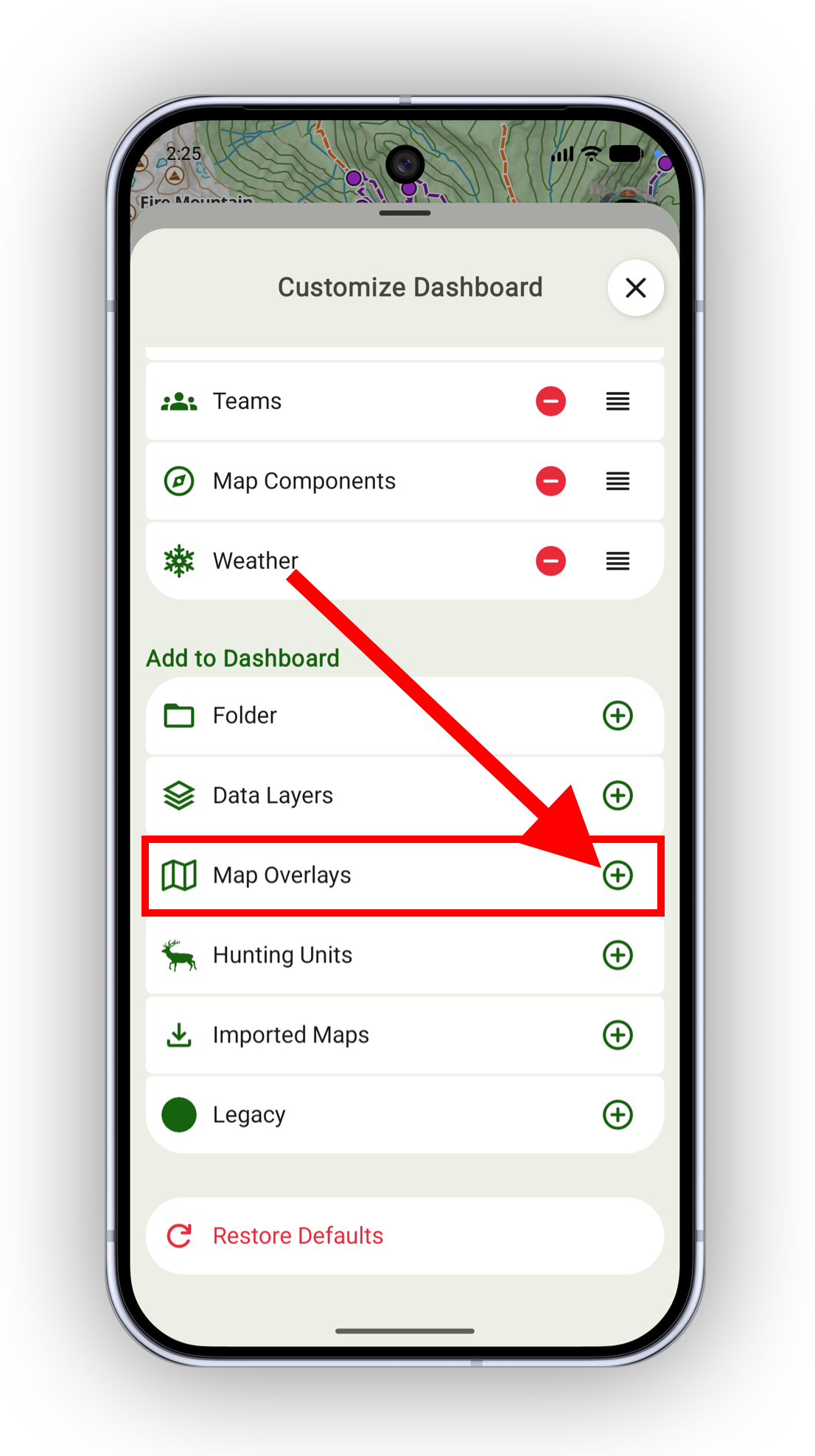
From the customizer, add the Map Overlays section
-
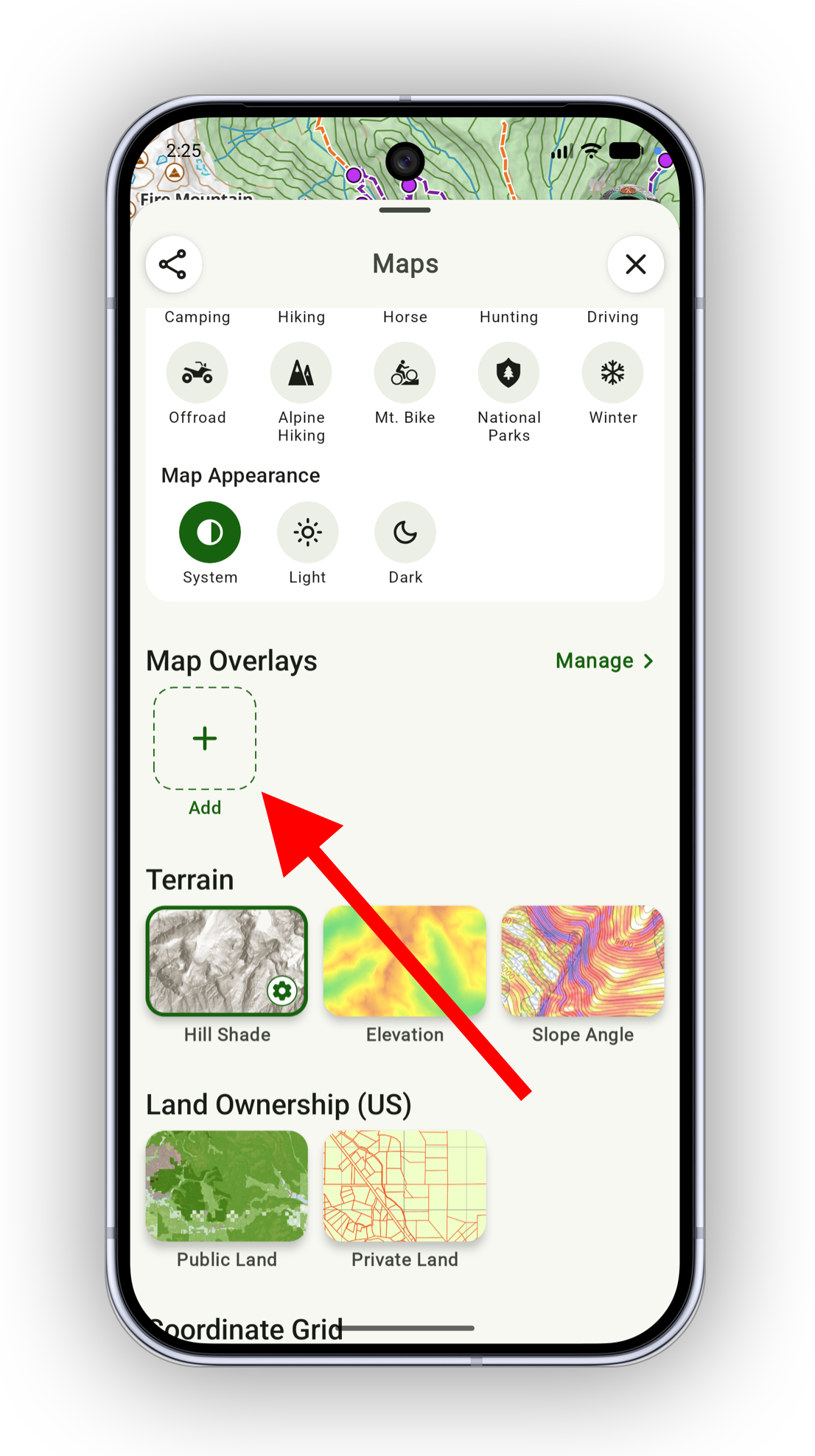
Close the customizer, then find the Map Overlay section and tap Add
-
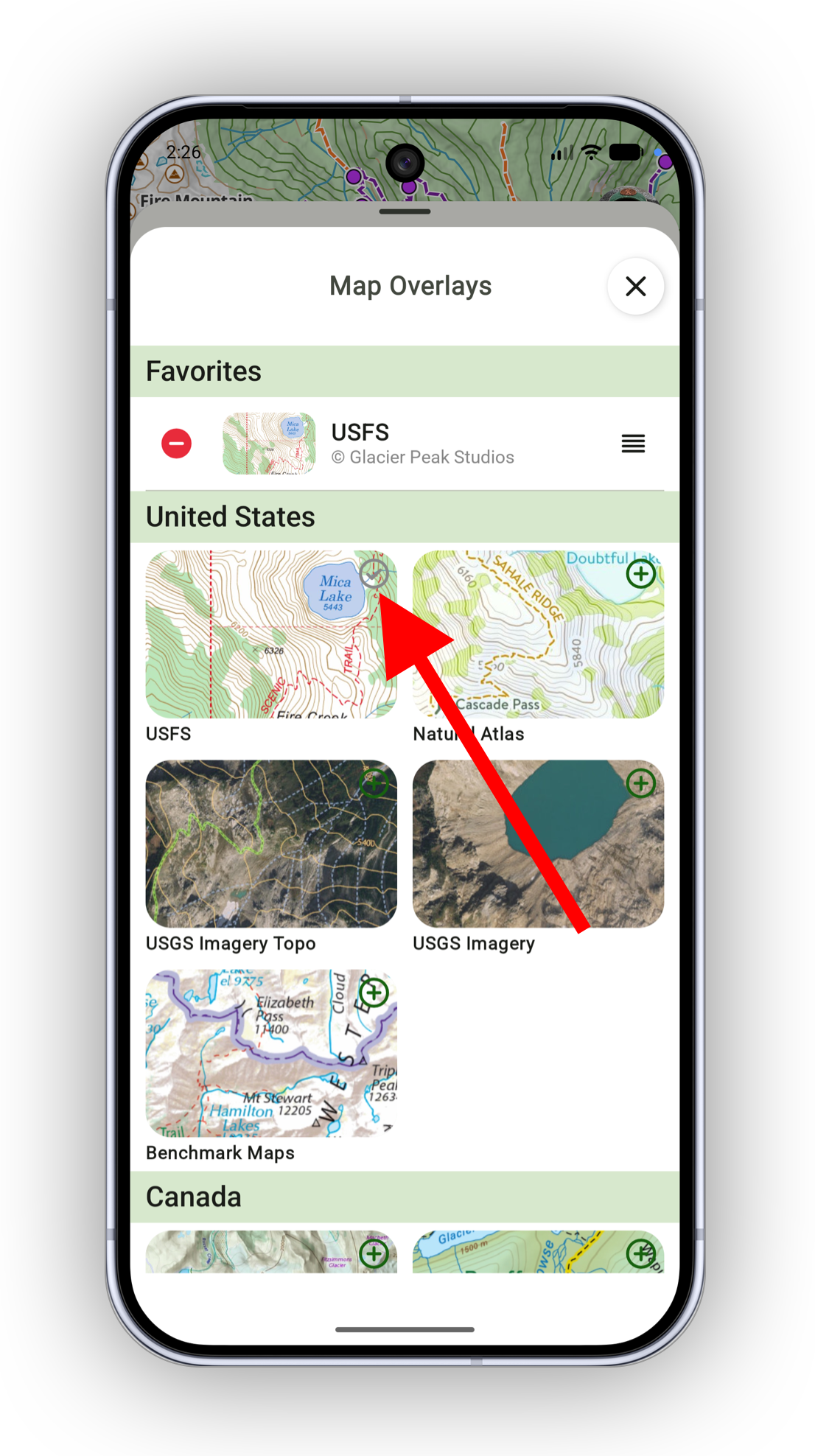
Select a map to add to the dashboard
-
Close the map picker, then tap your map to activate it